How to Transfer a GoDaddy Domain to Hostinger with Zero Downtime

GoDaddy and Hostinger are well-known in the website and domain space. Many website owners start with GoDaddy due to its reputation and wide range of services. But as their needs grow or change, they often look to Hostinger for its budget-friendly plans and performance.
A lot of people assume transferring a domain is overly technical, but it’s actually pretty simple once you know what to do. And with Hostinger, you can get it done for just $9.99.
In this guide, we’ll walk you through the entire domain transfer process step by step, so you can switch to Hostinger without any downtime or headaches.
Pre-Transfer Checklist: Is your domain ready to move?
Before you start the technical steps, verify these four requirements. If even one is missing, your transfer will be rejected by GoDaddy or Hostinger.
- The 60-Day Rule: Has it been at least 60 days since you registered this domain, or last transferred it? (ICANN rules prevent moving domains younger than 60 days).
- Domain Status: Is your domain “Unlocked”? You must log into GoDaddy and toggle the Domain Lock to OFF.
- Privacy Settings: Is “Domain Privacy” (WHOIS Privacy) disabled? If it’s on, Hostinger won’t be able to verify that you own the domain.
- Email Access: Do you have access to the Registrant Email address listed on your GoDaddy account? You will need to click a physical “Approve” link sent to that specific inbox.
- Expiration Date: Is your domain at least 7 days away from expiring? We recommend starting the transfer at least one week before your renewal date to avoid technical “limbo.”
| Useful Tip: Country-code top-level domains (ccTLDs) are managed by local registries, and each one may have its own rules for transfers. If your domain ends with a country-specific extension (like .in, .uk, or .ca), be sure to check GoDaddy’s guidelines for any special requirements or restrictions before starting the transfer. |
How to transfer a domain to Hostinger from GoDaddy
Once you’ve confirmed that your domain is eligible for transfer, you can proceed with transferring it from GoDaddy to Hostinger. Follow the steps carefully to ensure a smooth transfer. The process usually takes around 5 to 7 days to complete, so plan accordingly to avoid any disruptions.
If You Don’t Have a Hostinger Account
Before you can transfer your domain to Hostinger, you’ll need to create an account with them. It’s quick and easy, and having an account will help you manage your domain and hosting services all in one place.
Step 1: Go to the Hostinger Official website
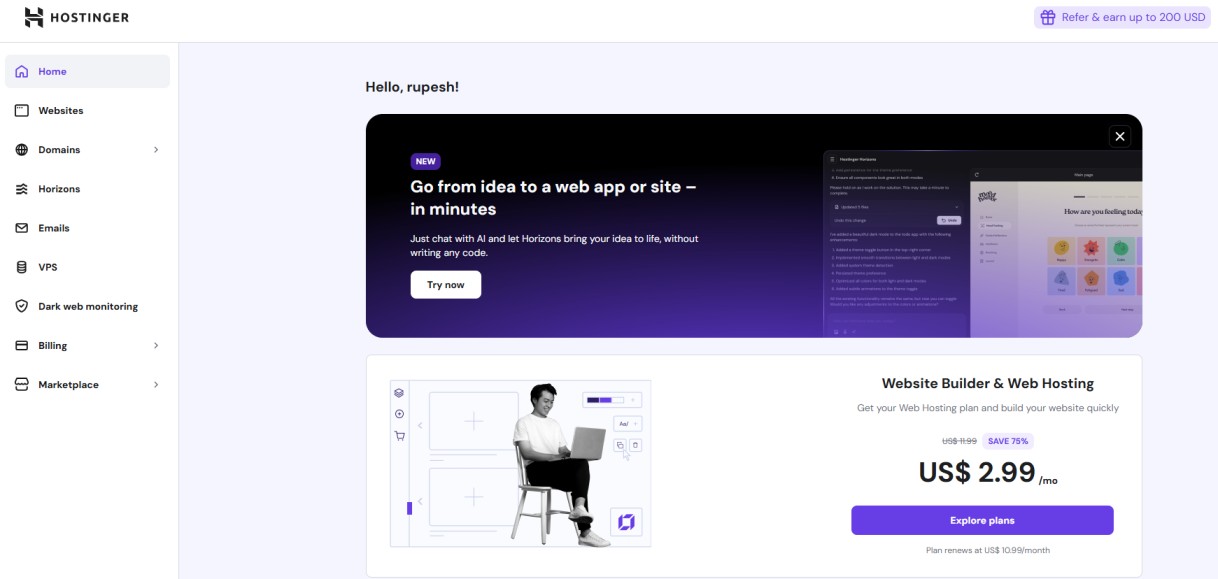
Step 2: Click on the “Services” menu at the top-left corner of the page, then choose “Domain Transfer” from the list to begin the transfer process.
Step 3: Enter the GoDaddy domain you wish to transfer to Hostinger, starting at just $9.99. Before you proceed, be sure to explore the active Hostinger offers available, so you can take advantage of discounts and save even more during your domain transfer.
If You Already Have a Hostinger Account
If you’re already using Hostinger for your website or hosting services, transferring your domain is even easier. You can start the process directly from your hPanel dashboard and manage everything in one place. Here is how you can do it.
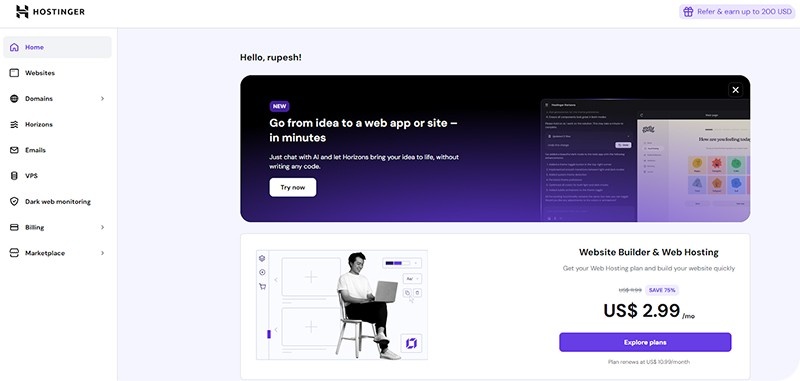
Step 1: Sign in to your Hostinger account and open your hPanel (Hosting Control Panel) to get started with the domain transfer.
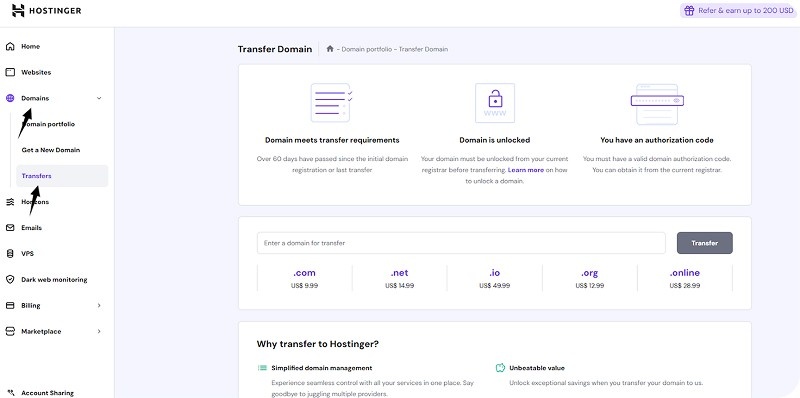
Step 2: In your hPanel dashboard, look at the left-hand menu and click on “Domains.” From there, choose the “Transfer” option to begin moving your domain to Hostinger.
Step 3: Before continuing, double-check that your domain meets all the transfer requirements, such as being at least 60 days old and having the authorization (EPP) code ready. Then, enter your domain name in the “Enter a domain for transfer” field and click “Transfer” to move to the next step.
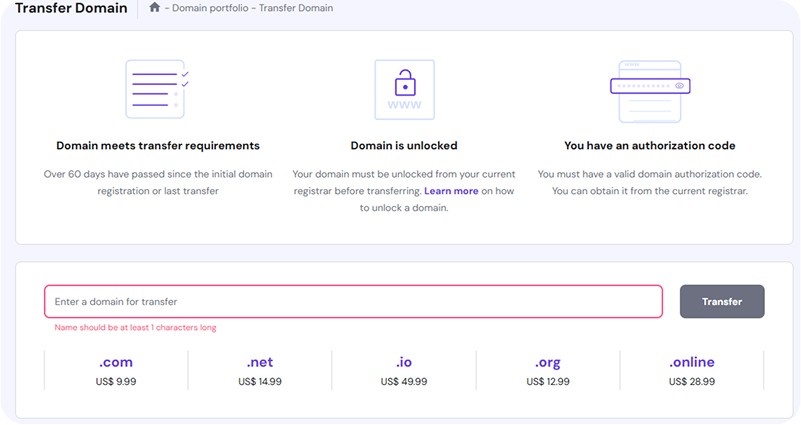
Step 4: You’ll now see the total cost for transferring your domain, which also includes a one-year renewal fee. Review the details, and if everything looks good, click “Purchase” to proceed with the transfer.

| Point to Remember: The domain transfer process usually takes 5 to 7 days to complete. The exact timing may vary depending on your domain extension and GoDaddy’s transfer rules, so be patient and keep an eye on your email for updates. |
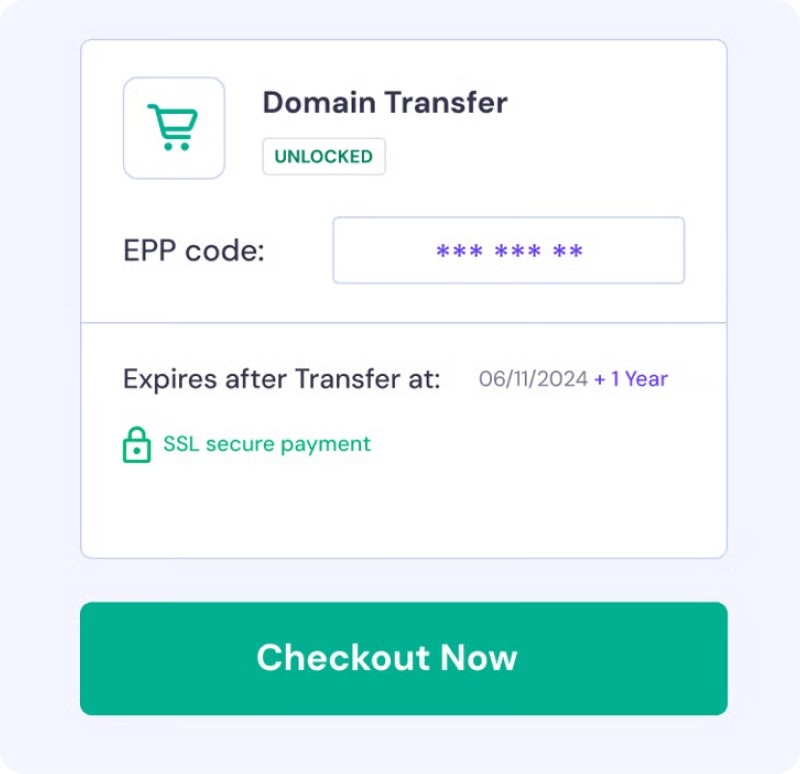
Step 5: Once you’ve completed the payment, paste the authorization code (EPP code) you got from GoDaddy and select Use Hostinger nameservers.
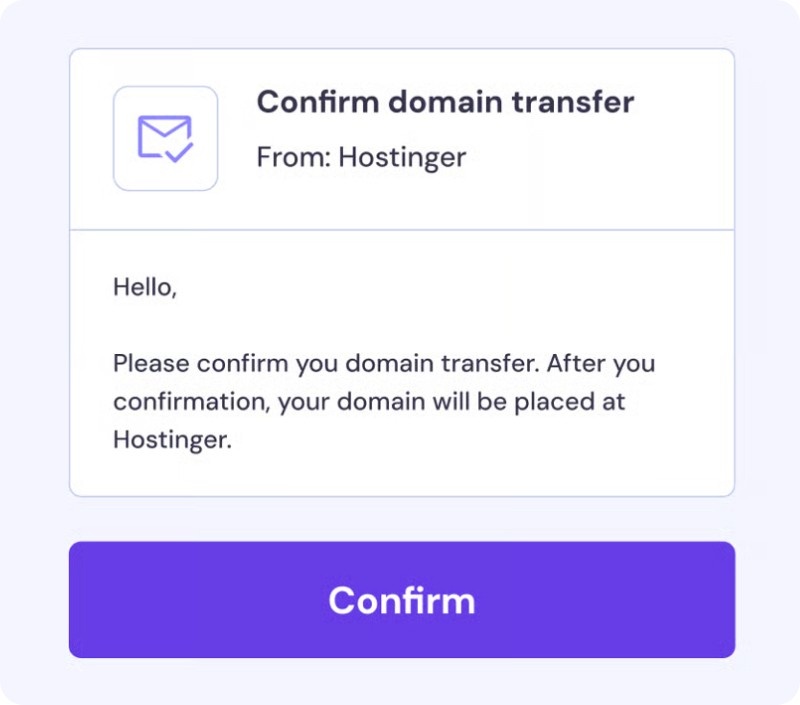
Step 6: You’ll receive an email requesting your approval of the domain transfer. Open the email and follow the instructions to confirm. This step is important to complete the process.
| Pro Tip: If you’re done using GoDaddy’s services, make sure to cancel your account or turn off auto-renewals. This helps you avoid unexpected charges for services you no longer need. |
Also Read: Hostinger Plans, Benefits, & Latest Offers
How Much Does It Cost to Transfer a Domain to Hostinger?
Transferring your domain to Hostinger is both simple and affordable, with transfer prices starting as low as $0.99 and going up to around $15, depending on the domain extension. The transfer fee includes a one-year renewal. And prices may vary due to promotions or domain popularity, so it’s always a good idea to check Hostinger’s latest transfer rates before you begin the process.
| Domains | Transfer/renewal price (Hostinger) |
| .com | $9.99 (Renewal price $16.99/year) |
| .fr | $7.99 (Renewal price $9.99/year) |
| .in | $5.99 (Renewal price $9.99/year) |
| .org | $12.99 (Renewal price $15.99/year) |
| .nl | $0.99 (Renewal price $9.99/year) |
| .net | $14.99 (Renewal price $15.99/year) |
| .it | $9.99 (Renewal price $9.99/year) |
| .es | $0.99 (Renewal price $8.99/year) |
| .de | $4.99 (Renewal price $4.99/year) |
| .eu | $6.99 (Renewal price $7.99/year) |
Also Read: How to Save Money on Web Hosting
Why choose Hostinger for Domain Transfer?
- No Time Lost: When you transfer your domain to Hostinger, your domain registration is extended by one year from your current expiration date. This means you don’t lose any remaining time on your domain.
- Easy Domain Management: Hostinger provides easy-to-use tools that help both beginners and advanced users manage their domains smoothly, all from one place.
- Free Privacy Protection: Every eligible domain registration comes with free WHOIS privacy protection to keep your personal information safe.
- Simplified Control: With Hostinger, you can manage your domains and hosting services all from a single dashboard. No need to switch between different providers or accounts.
- Great Value for Money: Transferring your domain to Hostinger gives you access to competitive prices starting at just $0.99 and multiple seasonal discounts.
- Reliable 24/7 Support: If you ever get stuck or have a question, Hostinger’s support team is available 24/7 to guide you through and solve any issues quickly.
Pro Tips for a Smooth Domain Transfer
- The domain must be at least 60 days old and not recently transferred to comply with ICANN rules.
- Disable the domain lock to allow transfer, verifying your identity if domain protection is active.
- Make sure your domain’s administrative email is active and accessible by you to receive transfer approval emails.
- Disable domain privacy and DNSSEC. These can block the transfer process and must be temporarily switched off.
- Obtain the Authorization (EPP) code from the domain you’ll be transferring from. This code is required to authorize the transfer.
- Domain transfers take 5 to 7 days. Plan and start before your domain expires to avoid service interruption.
- Keep both accounts active until the transfer fully completes to avoid issues. Also, secure a backup of website files and emails to prevent data loss during the move.
Key Takeaways
Transferring your domain from GoDaddy to Hostinger is a straightforward process when you know what to do. By preparing your domain and following the right steps, you can move it without any hassle. Taking a little time to check your domain details and settings beforehand will make everything easier. Hope by reading this article, you now have a clear picture of how to transfer your domain from GoDaddy to Hostinger with confidence.
FAQs
Can you transfer a GoDaddy domain to Hostinger?
Yes, you can easily transfer your domain from GoDaddy to Hostinger. Just make sure your domain is eligible for transfer (like being at least 60 days old and unlocked), and follow the steps provided by Hostinger to complete the process.
How much does it cost to transfer a domain from GoDaddy to Hostinger?
The cost to transfer a domain usually starts at $0.99 and can go up to $14.99, depending on the domain extension. The transfer price also includes a 1-year renewal of your domain.
Can I transfer my domain name from GoDaddy to another host?
Yes, you can transfer your domain from GoDaddy to any other hosting provider or domain registrar. You’ll just need to unlock the domain, get the authorization (EPP) code, and follow the steps provided by the new host.
How to connect a Hostinger domain with GoDaddy hosting?
If your domain is registered with Hostinger but your hosting is with GoDaddy, you can point your domain to GoDaddy’s servers.
Here’s how:
- Step 1: Log in to your Hostinger account and open the DNS zone editor.
- Step 2: Find the Nameservers (NS) section.
- Step 3: Replace the default nameservers with the two nameservers provided by GoDaddy.
- Step 4: Save the changes.
It may take up to 24 hours for the changes to fully update (this is called DNS propagation). During this time, your website may be temporarily unavailable.