15 Best AI Video Generators to Create Like a Pro

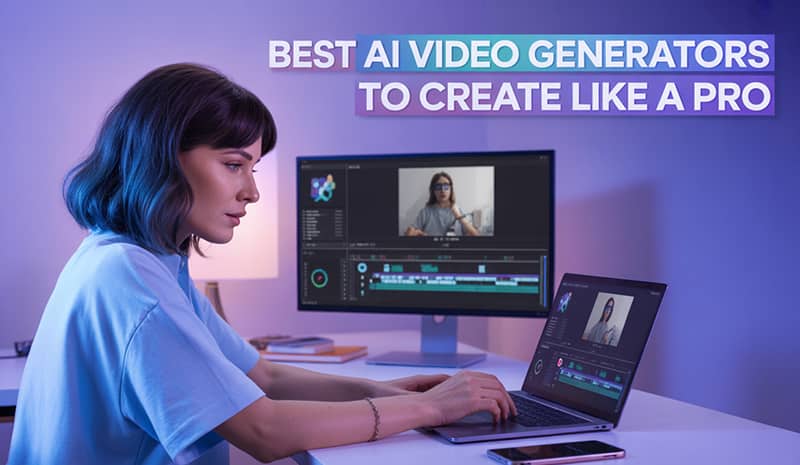
While doomscrolling on social media and watching videos may be easy, creating videos for various platforms is just as hard. However, gone are the days when you had to edit a video or write the script manually. Thanks to AI, video generation has become a whole lot easier. Now, anyone can create videos in minutes. You just have to enter the right prompt and voila! The video will be ready. There are plenty of AI video generators on the market, which can be pretty confusing. We tried out some of the popular ones, and here’s our review of the 15 Best AI Video Generators. Let’s get into it.
Best AI Video Generators (Tried and Tested)
| Tool | Free plan available | Pricing | Stand-out feature | Text to video? | Video length | Rendering time |
| Pictory AI | Yes | Starts from $25/month | AI script generator for videos + voiceover recording available | Yes | Over 5 minutes available | Fast |
| Invideo | Yes | Starts from $28/month (different pricing for Studio) | Smart search feature, can convert a blog post into a video, with automatic subtitles | Yes | 10 minutes of video with the free plan, 40 minutes for the Studio plan | Moderate speed |
| Capcut | Yes | Starts from $9.99/month (for Pro) | Ability to cut out subjects and get more transitions | Yes | Any length | Slow |
| Opus AI | Yes | Starts from $15/month | Turns long videos into shorts and publishes them on social platforms | Yes | Up to 10 hours long | Slow |
| vidIQ | Yes | Starts from $18.42/month | Best for strategizing for YouTube content plans | Not available yet | 2 hours (max) | Moderate speed |
| PixelCut | Yes (but limited credits) | Starts from $10/month | The cutout tool removes the background from any image | Yes | 5-10 seconds | Moderate speed |
| Sora | Yes | Video Credits purchase | Create videos from scratch (Add music, dialogue, etc.) | Yes | Up to 20 seconds long | Slow |
| Google Veo | Yes | Per-second pricing and a complex pricing model | More realistic videos and enhanced audio capabilities | Yes | Up to 8 seconds long | Moderate speed |
| Runway | Yes | Starts from $12/month | The text-to-image tool is fast and offers realistic-looking images | Yes (for only paid plans) | Minimum 5 seconds long | Moderate speed |
| Synthesia | Yes | Starts from $18 per month | Best for professional accounts who want to create training videos, presentations, etc | Yes | Up to 4 hours | Fast |
| Vyond | Yes | Starts from $99/month | Suited for Enterprises because it has better interaction tools | Yes | Up to 240 minutes | Moderate speed (can be glitchy sometimes) |
| Luma AI | Yes (but they have a waitlist) | Starts from $7.99/month | 3D model generation from real-world scans, customizable motion, and style effects | Yes | Up to 10 seconds | Fast |
| Adobe Firefly | Yes (only 5 videos for free trial) | Starts from $9.99/month | Can create videos according to frames, each frame has a story. | Yes (limited for free plans) | Up to 5 seconds | Fast |
| Wondershare | Yes (free trial license available) | Starts from $5/month (Filmora pricing) | Exceptional audio quality. Smart short clips feature automates the process of generating short videos from long ones | Yes (for paid plans) | 20-30 second video | Fast |
| Pika Labs | Yes | Starts from $8/month (for standard plans) | Ultra-realistic generations, enhanced physics, and unmatched prompt adherence | Yes | Up to 25 seconds (Depends on various models) | Fast |
Top AI Video Generators You Must Try
We tried out the most popular AI video generators and tested their strengths and weaknesses, based on their rendering time, video limits, free trials, and more. If you are looking for AI tools that can help you create videos in no time, here is our list.
1. Pictory
Pictory AI is a handy AI video generator that can turn text to video, URL to video, audio to video, images to video, and PPT to video. It can also summarize your video. Plus, it can help you write scripts for your video as well, with the help of Writesonic. If you want to save on the tool, check out GrabOn for Pictory coupon codes and Writesonic promo codes. You can save quite a lot on your subscription that way.
Key features:
- AI script generation for your videos that helps with script-to-video generation.
- Turn blogs into videos.
- Auto captions and summaries
- Millions of stock clips and music
- AI voiceovers and audio recording
| Pros | Cons |
|
|
Pricing: Starts around $25/month
Best for: Marketers, educators, and solo creators who want quick, polished explainer or social videos without complex editing.
2.  InVideo
InVideo AI is one of the fastest AI-video generators. You can get your videos quickly by just sharing the prompts. It transforms text prompts into fully edited videos with scripts, clips, subtitles, music, and transitions automatically. Moreover, you can edit easily with commands for scene changes, voiceover accents, and subtitles. Want to save on editing tools? You can try out the InVideo discount codes available on GrabOn to save more.
Key features:
- Smart search feature uses AI to understand the context of your search
- 5000+ professionally created templates
- Human-like voiceovers
- Prompt-based editing
- Support for multiple languages.
| Pros | Cons |
|
|
Pricing: Plans start around $28/month with add-ons for generative credits and collaboration tools.
Best for: Social media marketers, content creators, and teams needing fast, polished videos with AI-assisted workflows.
3.  CapCut
CapCut is an all-in-one AI-powered video editor that lets you create short-form and long-form videos with templates, auto captions, background removal, and AI effects. It offers both mobile and desktop apps plus a web editor, making it easy to edit on any device. You can save on your CapCut subscriptions by using CapCut coupons from GrabOn. Here are some of the standout features of CapCut.
Key features:
- Smart Cut picks out parts that have mistakes and cuts them automatically
- Style changes, sky swaps, and removing objects can be done easily by a beginner
- AI-generated videos have auto captions
| Pros | Cons |
|
|
Pricing: Starts at $9.99/month (for Pro).
Best for: Creators and social media marketers who want fast, trendy videos without complex editing.
4. Opus AI
Opus AI (OpusClip) is a specialized AI video repurposing tool that automatically transforms long videos into engaging short clips. You can upload these clips on social media platforms like TikTok, Instagram Reels, and YouTube Shorts. The virality score can determine the engagement you can get from each clip and suggest the best ones. If you want to save on this tool, you can use Opus AI discounts available on GrabOn.
Key features:
- AI-driven clipping (ClipAnything) that analyzes visual, audio, and sentiment cues to find viral moments
- Automated reframing keeps the main subject centered in vertical video formats
- Virality Score predicts engagement potential for each clip
| Pros | Cons |
|
|
Pricing: Subscription plans start around $15/month, depending on features.
Best for: Saving time and repurposing content. It can be used by social media creators and marketers alike.
5. vidIQ
While vidIQ doesn’t yet have a fully developed text-to-video generator feature, the platform is still one of the best YouTube optimization tools on the market. It can help with traditional editing, like editing clips, and it can also help with YouTube content strategizing. The platform helps you research topics, generate scripts, and optimize videos for more views and subscribers. GrabOn has exclusive vidIQ discounts you can use while signing up for the tool.
Key features:
- AI content generator for titles, descriptions, tags, scripts, and thumbnail ideas
- Daily AI video ideas with predicted views
- Keyword research, trend alerts, and competitor analysis
- Channel audit and performance insights to optimize existing videos
| Pros | Cons |
|
|
Pricing: Free plan available; paid plans typically start around $18.42/month.
Best for: YouTubers and brands who are heavily focused on YouTube channel growth
6. PixelCut
Pixelcut is well-known for helping you remove clutter from the background. While it also helps with video generation (short videos), it is primarily known as a background removal tool. It lets you generate images, edit product photos, and now create short videos from a single prompt or reference image, all from a mobile-friendly interface. Want to try it out? Use Pixelcut promo codes and save on subscription costs.
Key features:
- Excellent background remover tool, along with Magic Eraser, to polish images.
- AI background and scene generation for product shots
- Templates for ads, social posts, and storefront creatives
- Image-to-video and animated photo tools for simple motion content
| Pros | Cons |
|
|
Pricing: Pixelcut Pro starts around $10/month
Best for: Small businesses, ecommerce sellers, and influencers who need quick, polished images for social media and product listings.
7. Sora
When Sora was launched by OpenAI in 2024, it was the talk of the town. Many social media creators started creating reels using Sora. It became a widely used text-to-video generator. Now, you can turn written prompts, images, or short clips into highly realistic, cinematic videos with coherent motion and detailed scenes. However, sometimes the videos won’t be as accurate as the prompt, but you can change the prompt accordingly and train the tool.
Key features:
- Can create a video from scratch using just text prompts.
- Text-to-video, image-to-video, and video extension in a single model
- Strong scene and physics understanding for natural motion and interactions
- Can create multi-shot sequences with consistent characters and various camera moves
| Pros | Cons |
|
|
Pricing: Available through OpenAI subscriptions and partner platforms; exact consumer pricing and quotas depend on region, plan, and rollout stage.
Best for: Creators, agencies, and studios needing cinematic concept videos, high-end ads, and polished short-form storytelling.
8. Google Veo
Google Veo (Veo 3.1) is not the first text-to-video AI generator, but it may be the best one so far. To access this model of the tool, you need to pay for the Ultra plan. But you can freely access the Google Veo 3 model. It creates high-quality, realistic 8-second videos with simple text or image prompts.
Key features:
- Generates high-quality videos (1080p to 4K) with synchronized sound effects
- Dialogue is coherent, and the video follows real-world physics for natural motion
- “Ingredients to Video” lets you combine multiple references (people, animals, objects) into one scene
- Scene extension generates seamless, longer videos by building on existing clips
- Supports rich camera controls like zoom, close-ups, and point-of-view shots for cinematic effects
| Pros | Cons |
|
|
Pricing: Available through Google AI plans; pricing depends on usage and plan tier.
Best for: Filmmakers, marketers, and creatives wanting ultra-realistic short video clips with advanced audio-visual sync and cinematic control.
9. Runway
Runway is another powerful AI tool that can help you create images from text prompts. You can also create videos from prompts, but that feature is only available for paid plans. Its Gen-3 Alpha and Gen-4 models deliver highly realistic video clips with superior motion, style consistency, and world understanding. In case you want to get a subscription, don’t forget to use the Runway discounts available on GrabOn to save more.
Key features:
- Generate short, cinematic video clips from text or images (minimum 5 seconds)
- Advanced slow-motion generation with AI frame interpolation
- Extend video frames intelligently for social media aspect ratios
- Dialogue addition and voice mapping for characters
- Fine control over lighting, time of day, and scene relighting
| Pros | Cons |
|
|
Pricing: Plans start from around $12/month, depending on credits and features.
Best for: Indie filmmakers, video marketers, agencies, and creators who want cinematic videos and better customization options.
10. Synthesia
Synthesia is the most popular AI video generator platform among all the options mentioned in the list. It creates professional-quality videos using lifelike AI avatars that speak over 140 languages and accents. You can use Synthesia to create videos from text, documents, URLs, PowerPoint slides, and scripts swiftly without cameras or studios.
Key features:
- AI Video Assistant is designed to help you turn text-based content into short, engaging videos.
- Create a brand kit that you can use for consistent branding across all of your videos.
- Dub your uploaded videos into 29 different languages.
- Create avatars with natural lip-sync and expressive gestures.
| Pros | Cons |
|
|
Pricing: Individual plans typically start from around $18/month.
Best for: Small businesses, educators, and marketers, looking to quickly produce branded video content.
11. Vyond
Vyond is one of the highest-rated video creation platforms on G2. It is widely used by enterprises to create brand videos. You can use the tool to turn scripts or prompts into animated, mixed‑media, or avatar‑hosted videos without needing animation skills. The platform also lets you interact with your team while creating videos on Vyond.
Key features:
- It has an AI prompt‑to‑video creator (Vyond Go) plus a full drag‑and‑drop studio
- Use the modern animation styles, plus AI avatars and Video‑to‑Action motion capture to create exciting videos.
- Best audio features like lip‑sync, voiceover, and subtitles.
| Pros | Cons |
|
|
Pricing: Tiered subscriptions (often Essentials, Premium, and Enterprise) start at $99/month.
Best for: L&D teams, HR, marketers, and enterprises that need on‑brand animated explainers and training videos.
12. Luma AI
Luma AI is an advanced AI video creation platform that is known for creating detailed 3D models. It can create videos by transforming text prompts or still images. The UI is simple, so you can use it to quickly generate realistic video content without requiring deep editing or animation skills. However, it is hard to try out the tool because their free version has a waiting list.
Key features:
- Text-to-video, image-to-video generation from prompts
- Supports 3D video and model generation for interactive scenes and product visualization
- Customizable motion effects, depths, and cinematic transitions
| Pros | Cons |
|
|
Pricing: Subscriptions start at $7.99/month.
Best for: Marketing teams, creative individuals, small studios, and content creators needing fast, polished video clips for social media.
13. Adobe Firefly
Adobe has its own AI-video generator called Adobe Firefly. It is available as an app that you can use to create creative content. Firefly is also integrated with Photoshop, which makes editing easier for you. If you already use Adobe Photoshop or Premiere Pro, then Firefly will be a cake walk for you. Plus, you can choose which model/platform to use to generate images and videos like Gemini2.5, GPT Image, Flux Kontext Max, Firefly, Veo 3.1, Ray3, or Pika 2.2.
Key features:
- Create videos according to frames by feeding prompts for each frame.
- Generate sound effects based on prompts, with an option for layering multiple tracks.
- Enjoy Firefly Boards and Community to explore inspiration from various projects.
- Extend images beyond their original boundaries using AI to create logical extensions.
| Pros | Cons |
|
|
Pricing: Starts at $9.99/month.
Best for: Creative professionals and designers who already use Premiere Pro or the Adobe Creative Suite.
14. Wondershare
Filmora’s Wondershare has morphed into a versatile video editing platform that is rich with AI features. It has a minimal learning curve. But you can still create text-to-image, image-to-video, text-to-video, and more with it. The tool is well known for creating short videos from long-form videos. It can automate the process when asked. Here are some other features.
Key features:
- It allows multicam editing, keyframe animations, and screen recording for better video production
- Extensive library of effects, titles, transitions, and video templates for customization
- AI Smart Cutout for background removal without green screens
- It also has an AI Music Generator to generate music by setting a preferred style and tempo.
| Pros | Cons |
|
|
Pricing: Starts at $5/month.
Best for: Content creators, social media marketers, educators, and small businesses who want an easy solution.
15. Pika Labs
If you are looking for the best text-to-video generation tool, then Pika Labs is the one you should go for. It has glowing reviews from many editors who create AI-generated videos. It can not only turn existing images or videos into hyperrealistic ones, but it can also work solely on text prompts. You can also swap elements in your video and add scenes. Here are some more exciting features:
Key features:
- Pika frame lets you add various frames and transitions to your video
- Pick Swaps allows you to swap various elements in your video.
- There is also an inspiration section that lets you get inspired by the ideas of other creators.
- Use tools like multi-keyframe control, aspect ratio options (including vertical 9:16 and widescreen 16:9), and 1080p output for platform-ready videos.
- PikaEffects and similar tools (such as Inflate, Melt, Explode, Squash, and other playful deformations) let you add dynamic, stylized motion to objects and scenes.
| Pros | Cons |
|
|
Pricing: Starts at $8/month.
Best for: Anyone who wants to create short hyper-realistic-looking videos.
Things to Consider When Choosing an AI Video Generator
AI video generators are changing the way people edit videos. While the original way of creating videos is irreplaceable, these AI tools make the job easier for creators, marketers, and designers. These tools save time and help you churn content out faster. They are convenient, still here are a few things you need to consider when choosing an AI video generator.
Mind the infringement risks of your videos
Most AI tools are trained on massive datasets that are scraped from the internet, like images, videos, and text. These tools usually do this without permission. So whenever you are sharing a video or image, you may be at risk of infringement. Your images/videos that you feed the tool can be used to train the model. So, be wary of what you share.
Copyright Issues of AI-Generated Content
While this is still a grey area, many governments are rolling out copyright laws for AI-generated content. For example, YouTube has policies against low-effort AI content. AI is also not considered an author, so any content that is made without a human author cannot be copyrighted. While the laws are still pretty shaky in this area, try to be as original as possible while taking the help of AI to avoid any copyright issues.
Don’t go after hyped-up tools
The Internet has a way of blowing things out of proportion, so some tools might receive more traction on social media than others. But you won’t know how good a tool is until you use it yourself. So, try the tools before subscribing to them. For example, Sora was so hyped-up when it launched, but when it comes to realistic images, Google Veo 3.1 does a far better job in creating hyper-realistic images.
Prioritize ease over high-tech features
While choosing an AI tool for creating a video, you need to see whether it is making your job easier or harder. If the platform has complex features but a steep learning curve, that means you will have to invest more time editing the video. One of the top reasons to use AI is to save time, so if the tool is not helping you save time or making your tasks easy, you need to rethink the decision.
Wrapping up
With the demand for video content increasing, it has become impossible to keep up. But thankfully, AI video generators can help marketers, content creators, and social media influencers to generate content quickly. The tools mentioned above were tested and tried. While some have not lived up to the hype, there were a few like Google Veo, Pictory AI, and InVideo that stood out. So, give these tools a try and see what they can do for you. Stay creative!