How to Save on Udemy Courses

Online learning platforms make it possible to pick up new skills without spending much. Udemy is one of the best learning platforms out there that can help you upskill. With over 81 million learners and more than 26,000 courses across professional and personal development, it has something for everyone. But the challenge is to decide which course to take and how to manage the costs. The good news is that there are several ways to save, and in this blog, we’ll share practical tips to help you save on Udemy courses.
1. Hunt for discounts on both the Udemy website & app
The easiest way to get discounts on your courses is to look for them on the website. The Udemy website is the best place to start. Explore the various plans: Personal, Team, Enterprise, and Leadership Academy. Below is a table describing the plans and pricing. Pick a plan that suits your needs. Sometimes, you can also find ongoing discounts on the website.
| Plan name | Intended for | Price/month | Users allowed | Course access |
| Personal | Individuals/students | $14 | 1 | 26,000+ top courses |
| Team Plan | Small teams and businesses | $30 | 2 to 50 people | 13,000+ top courses |
| Enterprise Plan | Large organisations | Custom | More than 20 people | 30,000+ top courses |
| Leadership Academy | Leaders | Custom | Groups of 25 or more | Expert-led modules |
NOTE: The pricing may change depending on company policies and discounts. Please double-check the website for accurate prices.
Download the Udemy app. You can get in on both the Google Play Store and the App Store. The prices may often appear cheaper on the app. So, check the price on both fronts before purchasing a course.
2. Opt for Udemy Personal Plan or Udemy Business
Before signing up for any course, understand Udemy’s pricing. There are many options you can try out if you want to save on your courses.
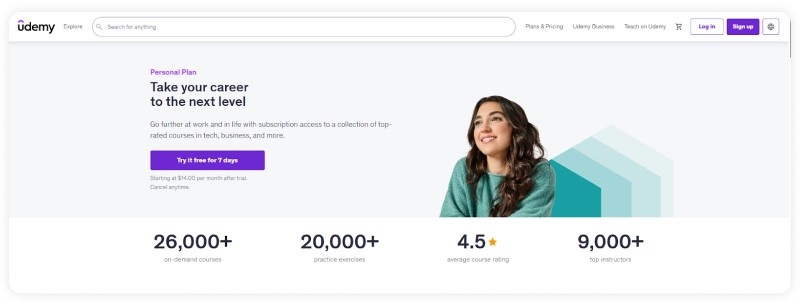
- If you want to take more than 5 courses, then go for the Udemy Personal Plan. It starts from $14/month. Rather than paying $19.99 – $199.99 for a course, you can get a personal plan and get access to 9000+ top instructors.
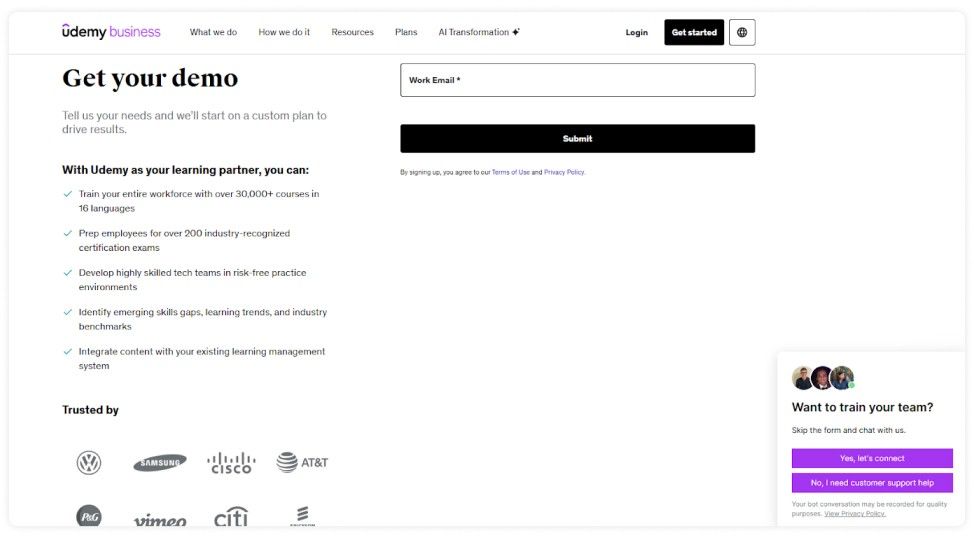
- If you are part of an organization or a business owner, then you can opt for Udemy Business and train your entire workforce with over 30,000+ courses. You can ask for a free demo before getting a custom plan for your company.
| TIP: Udemy’s Personal Plan has a 7-day free trial. You can sign up for the plan and try it out for 7 days, and cancel anytime. Best to try out the tool before investing in it. |
3. Take advantage of the free Udemy courses
The best thing about Udemy is that you can also take free courses. It has free courses on 20+ topics that you can take, including WordPress, HTML, Excel, Investing, Meditation, Entrepreneurship, and more. However, these courses don’t generally provide certificates. So, you can sign up for the sole purpose of learning. Here are some of the most popular free courses on Udemy you can take up:
- A Mini Course on Time Management
- Code Your First Game: Arcade Classic in JavaScript on Canvas
- Change Agility in the Workplace: Become a Change Agent
- How to speak to anyone & be fearless – in less than 55 min
- Programming 101
4. Use incognito mode to compare course prices
Before you sign up for the course by paying the full price, check out the price in incognito mode as well. Just as you do while booking flights. The incognito mode will often show you reduced prices for the same course. This may be due to Udemy’s dynamic pricing algorithm, which adjusts the price of a course based on factors like browsing history and location. So, before you sign up for a course, check the price in incognito mode.
| TIP: Another easy thing you can do to save money on Udemy is sign up for courses on weekends. There is a price difference in courses during weekdays and weekends. The prices are higher during weekdays when a lot of people sign up. But during weekends, the sign-ups slow down, hence the reduced pricing. So wait a week, check the weekday and weekend pricing, and then pay for the course. |
5. Wait for Udemy Holiday Sales
While Udemy does not have any clearance sales like the traditional retail stores, it does have frequent flash sales and holiday sales that you can use to your advantage. Keep an eye on the website for flash sales and sign up as soon as the price goes down.
On top of the flash sales, you can also wait for the holiday sales. Udemy has the best sales around New Year’s, World Teacher’s Day, Black Friday, and Cyber Week. You can get up to 95% off on courses and subscriptions during this period. If you want to keep track of the sales, use the Udemy Sales Calendar we update regularly.
| TIP: Rather than visiting the website time and time again, you can install a price tracking extension like the Udemy Price Tracker from the Chrome Web Store. The tracker will notify you every time there is a discount on the Udemy course price. You can track the prices of your favorite courses and get instant price drop notifications. You can also subscribe to Udemy’s email notifications to get updates on upcoming sales. |
6. Find Udemy Coupons
Udemy frequently shares coupon codes that you can use to save on the next course. There are plenty of ways you can find these coupons, like
- Explore coupon platforms like GrabOn to find Udemy coupons and get discounts on various online courses. Get deals like sitewide offers, Student offers, 80% off on Java programming masterclass, and more.
- You can also use the instructor-generated coupon code at times. To find these codes, you can follow relevant instructors on social media and see if they are offering any unique promo codes. When they share coupon codes for their course, you can use the special discount when enrolling in the course. Please do not go demanding coupons from instructors, but if they provide them of their own volition, you can use them.
- Reddit is also a great place to look for Udemy coupons. Follow Reddit communities like Udemy Freebies to get updates on the best-selling Udemy courses every day. u/smartybrome posts a list of the free and best-selling discounted courses daily, so you can check it out.
7. Get free access to Udemy courses with your library card
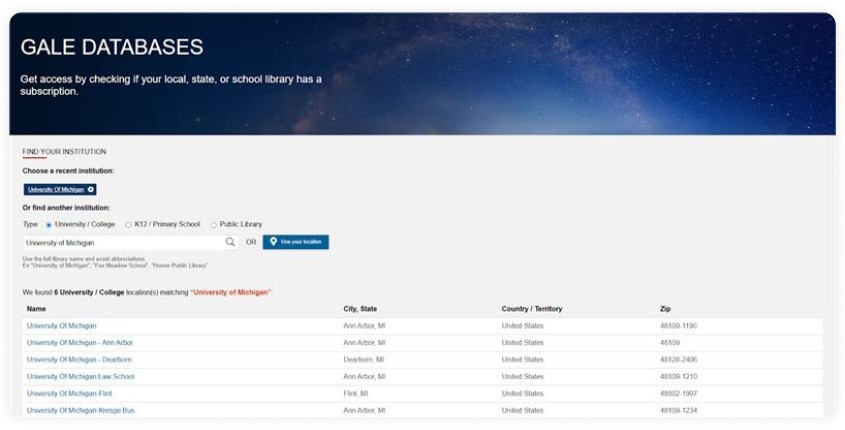
You can access Udemy courses through your local library card by using the Gale Presents Udemy program. It is a hack, which is unknown to many. Here is how you do it:
- If you are a student, you must already have a library card. Check if your library has subscribed to Udemy.
- If not, then go through the Gale Database and find which institution or public library has a Udemy subscription. Then get their library card.
- Once you have a library card, go to Gale’s e-learning section.
- On the website, click on “Access Through Your Institution.” Type your institution’s name and click on the relevant result.
- Then log in through your ID and password. Once you are logged in through your institution, you will be verified.
- After authenticating your library credentials, you can sign up for a Udemy account using your email ID.
- Pick a course you want, and get started. It’s that easy!
This is a completely legal way to get free access to Udemy courses. You can utilise this service to get free course content.
8. Follow social media pages & groups
Hunting for Udemy discounts is not limited to coupon platforms. You can follow Udemy’s social media pages like Instagram, Facebook, X (Twitter), and LinkedIn to join a community of learners and receive the latest updates on Udemy promotions.
You can join relevant Facebook groups, Telegram groups, and Quora spaces to get your hands on recent and hard-to-find Udemy coupons. Here is a tip: you can follow groups like Udemy King, Udemy Courses Free on Telegram to get fresh Udemy coupons every day. Please check the validity of the coupon before using it.
9. Get a student discount
Currently, Udemy does not offer an official student discount. That means you can’t find a dedicated discount section for students on the website. However, the platform sometimes offers student discounts through third-party websites like StudentBeans and UNiDAYS. You can visit these websites regularly to check whether they are currently offering Udemy student discounts. Anyone over the age of 16 and in full-time education, like a university, college, sixth form, or high school, can use Student Beans or UNiDAYS to get this discount.
Wrapping up
Upskilling and educating yourself is always a great idea, and Udemy helps you do that. But sometimes the courses can be a tad expensive. Don’t let that stop you from learning. Use the hacks/tips mentioned above to save more on your Udemy courses. Find coupons, subscribe during flash sales, use library cards, do whatever it takes to get that study on! Hope these tips help you out.
Frequently Asked Questions
Can I buy a course on Udemy and use it forever?
Yes, when you buy a course on Udemy, you get lifetime access to the material. That means you can access it 24/7 from anywhere, as long as Udemy maintains the course license. However, if you are accessing a course through a membership like a Personal plan, you only get access to the subscription content for as long as you are paying the subscription fees.
Is there any way to download a Udemy course?
You can download the Udemy course videos on your app for offline viewing. There is a download icon next to the content, so you can get it whenever you want. Some selected courses can also be downloaded through the website.
How to get Udemy courses for free?
Most of the Udemy courses are paid. But you can take advantage of the free courses section on Udemy to study for free. You can also get free access to Udemy courses through the Gale Presents Udemy program.
Do Udemy certificates expire?
No, Udemy certificates do not expire. Once you complete a course, you receive a certificate, and you can keep it. But when the skills you learnt become outdated, you can take new courses to keep up.
Can you put a Udemy certificate on a resume?
Yes, you can put a Udemy certificate on your resume as long as it is relevant. Add it under the “Skills” section or “Certificates” section. You can also add Udemy certificates on LinkedIn in the “Licenses and Certificates” section.
Does Udemy offer refunds?
If you are not satisfied with your course, you can ask for a refund within 30 days. This is only applicable to eligible courses, so check the eligibility before requesting a refund. You will be denied a refund if:
- A notable amount of the course content has already been consumed
- Multiple refunds have been requested by you before
- If your account is reported, banned, or if course access is disabled.
- If a refund has been granted by a third-party payment processor