A Smart Guide To Organizing Your Coupons Effectively In 2026


In 2026, saving money is a priority, but it’s easy for your inbox and wallet to become cluttered with a mix of digital and physical coupons. If you have ever missed out on an incredible deal simply because you forgot you had it or couldn’t find the code at checkout, you aren’t alone.
This guide outlines smart, actionable steps to take control of your savings strategy. From classic physical filing systems to automated digital workflows, here is how to keep your coupons perfectly sorted and accessible.
-
The Hanging Folder Method
The “hanging folder method” or traditional coupon binder remains a highly effective strategy for those who prefer physical coupon inserts from newspapers or mailers. It serves as a personal, portable filing cabinet. Here’s how you can set it up:
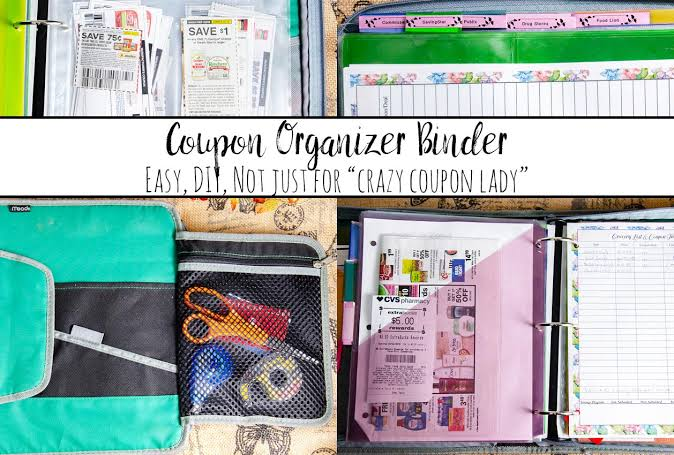
Source: The Housewife Modern
Step 1: You’ll need a small filing box or an expandable hanging folder system, which you can find at most office supply stores or even Walmart. Choose a box that fits easily on a countertop or shelf.
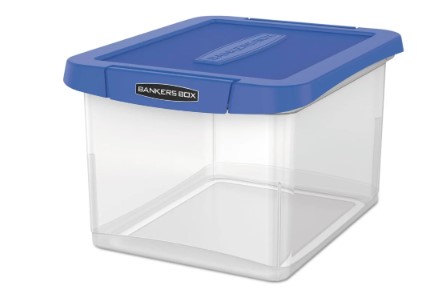
Step 2: Make sections in the box by categories such as “Groceries,” “Household Supplies,” “Beauty Products,” and “Restaurants.” Label each hanging folder with these categories for quick access.
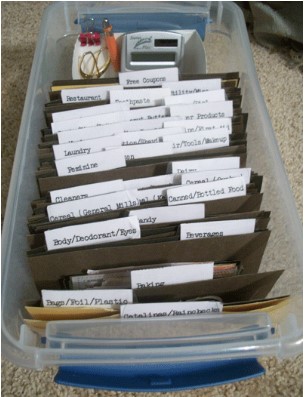
Image Source: Happy Money Saver.
Step 3: If you have a lot of coupons in one category, add dividers or smaller tabs inside the folders. For instance, within “Groceries,” make tabs for “Dairy,” “Produce,” and “munchies.”
Step 4: Arrange coupons in each folder with the soonest expiration dates at the front so you don’t miss out on time-sensitive savings.
Step 5: Now is the key part. To keep your system efficient, schedule a regular time (once a week) to review the folders, remove expired coupons, and add new ones.
Step 6: When shopping, just grab the relevant coupons from each folder or make a separate folder for “Current Trip” items so you have everything handy.
Pros of the Hanging Folder Method
- Clear categories make it simple to find coupons quickly.
- Sorting by expiry date ensures you use coupons before they’re outdated.
- Folders and tabs can be adjusted based on your shopping needs.
Cons of the Hanging Folder Method
- Requires physical space for storage
- Needs regular review to remove expired coupons and add new ones.
- Not ideal for on-the-go access, limiting flexibility if you find unplanned deals while out shopping.
Digital Wallets To Organize In This Digital Age
Digital coupon wallets are mobile apps that let you store digital vouchers, loyalty cards, and coupons in one place. These wallets not only keep your coupons organized but also improve your shopping experience by personalizing offers based on your shopping habits.
Many digital coupon wallets sync with loyalty programs, letting you track rewards, points, and exclusive discounts in one spot. Additionally, by going paperless, digital wallets promote eco-friendly shopping by reducing paper waste.
Pros of digital coupon wallets:
- Convenient access, with all discounts and rewards stored in one place on your phone.
- Personalized offers tailored to your shopping preferences, increasing relevancy.
- Sustainable option as it reduces paper waste.
Cons of digital coupon wallets:
- Dependence on a smartphone and internet access limits offline use.
- Personalization often involves data tracking, which may raise privacy concerns.
The Gmail Label Method
For the vast majority of digital shoppers, e-commerce newsletters and discount updates completely overtake the primary inbox. You can utilize automated desktop sorting to handle this entirely on autopilot.
The Step-by-Step Workflow:
- Create a Master Label: In the left sidebar of your desktop Gmail dashboard, click More > Create new label and name it Coupons.
- Establish Automated Filters: Click the gear icon (Settings) > See all settings > Filters and Blocked Addresses > Create a new filter.
- Define Filter Parameters: In the Has the words field, enter common discount triggers using Boolean logic: coupon OR discount OR sale OR deal OR promo.
- Automate Action: Click Create filter, check Apply the label (selecting your new Coupons label), and optionally check Skip the Inbox (Archive it) to keep your main workspace clear.
- Build Sub-Labels: Click the three dots next to your parent Coupons label to add nested sub-categories for specific merchants like Walmart, Target, or specialized retail platforms.
- Sync Expiration Reminders: For high-value, time-sensitive single-use codes, take 5 seconds to drop a quick reminder onto your Google Calendar with a notification set two days before expiration.
Other Ways to Stay Organized With Your Coupons
Bulletin Board or Fridge Organizer
Back to old-school methods, attach coupons with magnets or pushpins in a visible spot, like on the fridge or a bulletin board. This method is low-effort but works best for coupons you plan to use soon, as it’s easy to lose track of expiry dates.
You can also combine this with the binder method. Once you notice upcoming coupons from the binder, simply take them out and attach them to the refrigerator!
Coupon Organizer Apps
Mobile applications like Rakuten and SnipSnap allow you to store, categorize, and apply digital coupons easily. Some even provide reminders for expiring coupons and offer browser extensions for online deals. This all-in-one solution saves both time and paper.
Browser Extensions
Extensions like Honey automatically find and apply coupon codes at checkout for online shopping. They help avoid expired codes and streamline the discount process without manual searching.
Community Insights: How Budgeters Organize
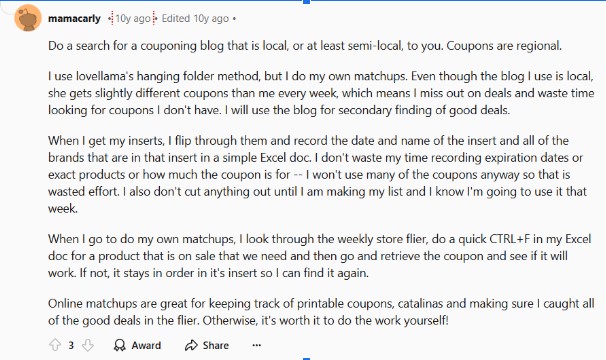
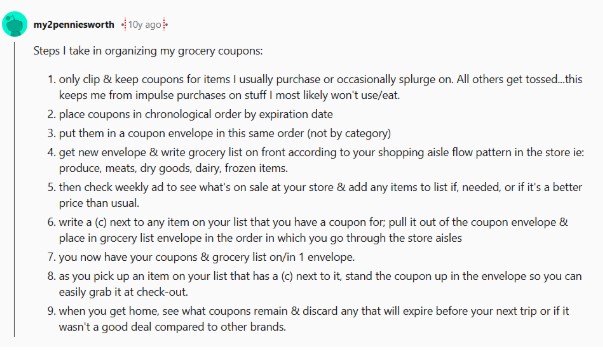
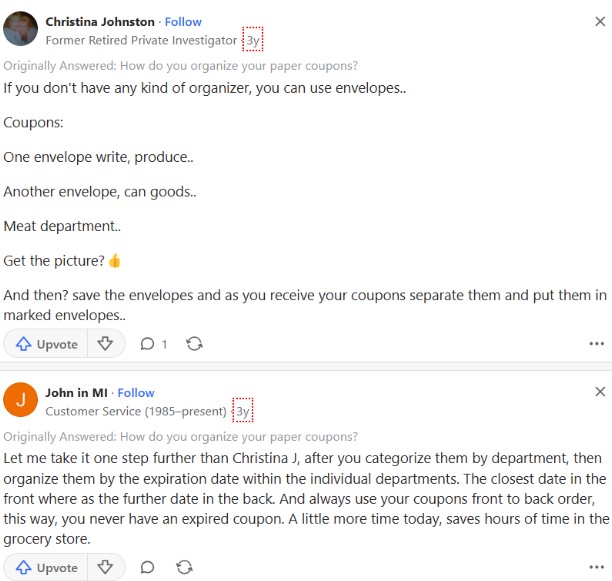
We checked Reddit and Quora to find different ways people do couponing, and here are the results.
mtnagel on Reddit said: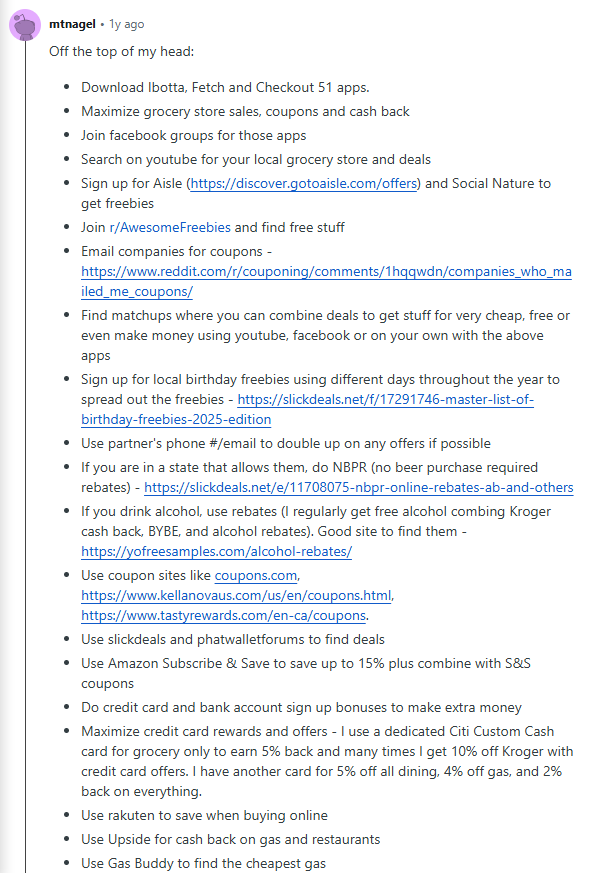
Here is how another Redditor organizes their Grocery coupons
Here is how another Redditor organizes their Grocery coupons
Here are a couple of responses from Quora on organizing coupons
Frequently Asked Questions
What is the easiest way to organize paper coupons?
The most balanced and effective method for paper coupons is a portable, small accordion file sorted by store departments (e.g., Produce, Dairy, Household). For heavy couponers, a 3-ring binder with clear plastic baseball card sleeves allows you to scan expiration dates without removing the vouchers.
How do I stop my digital coupons from expiring unused?
Pair your digital savings with calendar notifications. When you receive a high-value code or clip a major digital offer, immediately set a calendar event for its expiration date with an alert set 48 hours in advance.
Should I use a separate email address for coupons?
Yes. Creating a dedicated email address strictly for retail accounts, reward programs, and store apps prevents your primary inbox from getting cluttered and centralizes all searchable discount codes in one location.
Wrapping Up
Keeping your coupons organized matters when every penny counts (Inflation is rising, folks!). Use traditional methods like hanging folders or try modern options like digital coupon wallets and Gmail. Each way has its benefits, so choose what works best for you.
With a little effort and the right tools, you can save money and enjoy a better shopping experience.