

Microsoft Store Coupons & Promo Codes
Best 17 Coupons & Offers last validated on November 2nd, 2026
- All (17)
- Offers (17)
Existing User
- All (17)
- Offers (17)
20%
OFF
Flat 20% Off On Windows 365
- Grab 20% off on Windows 365.
- The price starts from $36.
- Windows 365 Cloud PCs provide a full Windows desktop experience on any device.
- It includes Windows 365 Enterprise, Windows 365 Business, Windows 365 Frontline, and Windows 365 Government licenses.
- This offer is valid for newusers only.
$500
Off
Enjoy Up To $500 Off On Your Orders
- Get up to $500 off on all your orders.
- Shop now and save more on your purchases.
- Grab the best gadgets at the best prices.
- No minimum order value is needed to avail the discount.
28%
OFF
Enjoy Up To 28% Off Certified Refurbished Devices
- Grab up to 28% off on Certified Refurbished devices
- Offer valid only on selected products
- No minimum spend is required
- Nopromo codeis required
25%
OFF
Save Up To 25% OFF On Surface Pro 9
- Unlock incredible savings on the Surface Pro 9!
- Enjoy up to 25% OFF on this versatile and powerful device.
- Whether you're a student, professional, or creative, the Surface Pro 9 offers the performance and flexibility you need to thrive.
- With its sleek design and cutting-edge features, it's the ultimate tool for productivity and creativity.
Microsoft Store Discounts & Offers
10%
OFF
Student Offer - Get Up To 10% OFF
- Now students, parents, teachers, and military can save 5-10% on select products
- Get up to 10% off eligible computers and accessories
- 5% OFF Surface Go and Free Office 365
- Nocoupon coderequired to avail this offer
OFFER
Save Up To $700 OFF On Surface Laptop, Copilot+ PC
- Save Up to$700 on Surface Laptop, Copilot+ PC
- The price starts at $799.99
- Save big on an AI-powered companion made for next-gen performance.
- Up to 22 hours of battery life based on local video playback test on Surface Laptop 15 inch
- Up to20 hours of battery life based on local video playback test on Surface Laptop 13.8 inch
DEAL
Surface Bundles - Save Up To $685.80 On Laptops
- Now Shop & save up to$685.80 on surface bundle laptops.
- The products are surface pro essential, surface laptop pro, surface laptop for business essentials, and many more.
- All payment methods are accepted.
- Visit the website to know about terms and conditions.
$600
OFF
Save Up To $600 OFF On Surface Laptop
- Get up to $600 OFF on surface laptop
- The price starts at $450
- Valid for all users
$501
OFF
Save Up To $501 OFF On Surface Pro, Copilot+ PC
- Save Up to$501 on Surface Pro, Copilot+ PC
- The price starts at $799.99
- Score savings on a fast, flexible 2-in-1 built for advanced AI experiences.
- 32GB memory and 1TB storage option available for Surface Pro Wi-Fi only models.
$239
OFF
Surface Pro 8 & Surface Pro Keyboard Bundle - Save Up To $239.99 OFF
- Save up to $239.99 OFF on surface pro 8 & surface pro keyboard bundle
- Starting at Rs $999.99
- Free Shipping is available
OFF
Save Up To $229.99 On Surface Pro 7+ & Surface Pro Type Cover Bundle
- Save up to$229.99 on your orders
- Applicable on surface pro 7+ & surface pro type cover bundle
- Flexible payment options are available
- Free shipping is also available on all orders
$1
Join PC Game Pass At $1 For Month
- Join PC game pass starting at just $1 For month
- All users can avail this offer
- Offer valid for limited period
$1
Subscribe To Xbox Game Pass Ultimate At $1.00/Month
- Now subscribe to Box game pass ultimate at $1 per month.
- After the first month's subscription, it continues automatically at $14.99/month unless you cancel.
- It includes Box live gold, high-quality games for console, PC, exclusive member discounts, and many more.
- Terms and conditions are applied.
Computer Accessories Starting At Just $24.99
- Shop now and grab the accessories deals.
- The price is starting at just $24.99.
- The product includes a mouse, headset, keyboard, and many more.
- Also, free shipping is available.
- Valid for all users.
$25
Microsoft 365 Premium Plan - Starting At $19.99
- Get Microsoft 365Premium Plan at an affordable price.
- The price starts from $19.99 per month.
- It includes:
- For 1 to 6 people
- Each person can use on up to five devices simultaneously ?
- Works on PC, Mac, iPhone, iPad, and Android phones and tablets ?
- Up to6 TB of secure cloud storage (1 TB per person), and more
$300
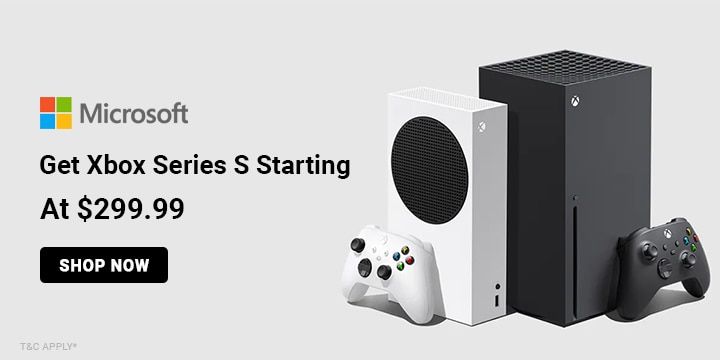
Get Xbox Series S Starting At $299.99
- Get Box series S starting at $299.99.
- The offer is valid on limit of 1 console purchase per user.
- Now shop and avail games, gift cards, accessories, and many more.
- The offer is applicable to all users.
$1100
Surface Pro for Business, Copilot+ PC | Snapdragon Starting From $1099.99
- Surface Pro for Business, Copilot+ PC | Snapdragon starting at $1099.99
- Unleash unprecedented speed
- Streamline tasks with a smarter PC.
- All-day battery life
- Microsoft Pluton Technology is a built-in security processor, making it harder to hack and easier to update.
Top Microsoft Coupons, Promo Codes & Offers For Nov 2026
| Category | Microsoft Discount Code & Offers |
| Surface Laptop | Get Up To $300 OFF |
| Join Pc Game | Grab At $1 |
| Surface pro 8 | Up To $200 OFF |
| Surface Bundles | Up To $685.80 OFF On Laptops |
| Accessories | Starting At $24.99 |
How to Get a Microsoft Coupon Code
- Visit the Microsoft Website: Head to Microsoft’s official website and browse through their dedicated “Deals” section. You’ll find a range of discounts on Surface devices, laptops, Xbox consoles, and Microsoft 365 subscriptions. You’ll also find seasonal sales and limited-time promotions on software and hardware bundles, often highlighted directly on their homepage.
- Join Microsoft’s Rewards Program: By signing up for Microsoft Rewards, you can earn points from everyday activities like browsing the web with Microsoft Edge or purchasing through their online store. These points can be redeemed for gift cards, discounts, and exclusive deals. Plus, as a member, you receive early access to special promotions and personalized coupons.
- Back-to-School and Holiday Sales: Microsoft runs promotions during back-to-school seasons, Black Friday, Cyber Monday, and other major holidays. You can grab hefty discounts on devices and software, making it the perfect time to buy premium Microsoft products.
- Follow Microsoft on Social Media: Stay updated by following Microsoft on X, Instagram, and ahttps://www.facebook.com/Microsoft/. Their social channels often feature exclusive discounts, flash sales, and giveaways on devices, gaming consoles, and software. It’s a great way to catch promotions before they hit the general audience.
- Student and Military Discounts: If you're a student or a member of the military, Microsoft offers exclusive discounts just for you. By verifying your status through their dedicated page, you can save significantly on laptops, software, and accessories. This is an easy way to access ongoing offers without waiting for a sale. For example, Microsoft offers 10% off on select products for active, former, and retired military personnel and their families.
- Check Coupon Websites: For exclusive Microsoft coupon codes and discounts, visit trusted coupon platforms, including GrabOn. You'll find the latest offers on Microsoft 365 subscriptions, Surface products, and Xbox deals. We often update in real time, giving you access to promotions before they expire.
- Subscribe to Newsletters: The store offers a variety of newsletters, like the Source newsletter or the Press Store newsletter. You can subscribe to one that will send you updates on the latest promotions regarding the brand.
- Search YouTube Videos: There are plenty of YouTube videos on Microsoft tools; watch the review videos by creators and look for coupon codes they share. You can usually get your hands on these coupons if you are an early watcher of the video, so turn on your notifications for the channel so you don’t miss the discount.
More Ways to Save at Microsoft (Hacks and Tricks)
- Microsoft often runs bundle deals on software and hardware, such as discounts on Office 365 subscriptions when purchased with a new laptop or tablet. Check their website for these bundle promotions to maximize value on essential tech.
- Microsoft 365 offers a Family Plan that covers up to six people under one subscription. Instead of paying individually, you can split the cost with family members, giving everyone access to Office apps, OneDrive, and Skype without the extra expense.
- If you’re eyeing a new Surface or Xbox console, keep an eye on Microsoft’s online trade-in program. You can exchange eligible older devices for credit toward a new one, reducing the out-of-pocket cost. Sometimes, they offer bonus trade-in credit during major sales.
- Many of Microsoft’s partnerships come with exclusive discounts. If you purchase a new laptop through partner retailers like Dell or HP, you may receive a bundled Microsoft 365 subscription at a discounted rate. This can be a great way to save when buying premium software and hardware together.
- Opt for annual or multi-year subscriptions instead of monthly plans; these often come with significant discounts, so you can save more on your purchase.
- If you’re a student or educator, look for special discounts and free access to select tools. You may get to use Teams for free or even get discounts on Surface products.
- For businesses, compare pricing tiers and select only the features you need; sometimes the free tier or lower plans like Essentials are also sufficient.
- Grab limited-time discounts, such as the current 30% off on annual Microsoft 365 Family and Personal subscriptions. Keep checking the website to know more about current deals on various services.
- Microsoft sells refurbished Surface laptops, Surface Pro tablets, and Xbox consoles directly through its Certified Refurbished store, with prices up to 30% less than new. Every refurbished unit is professionally cleaned, repaired, and tested by Microsoft before resale and ships in its own Microsoft Certified Refurbished box with all standard accessories included.
Get More with Microsoft Rewards
Microsoft Rewards is all about making your everyday activities more fun and rewarding. When you use Microsoft products like Bing for searches, shop at the Microsoft Store, or play games on Xbox, you earn points. These points can be turned into gift cards, sweepstakes entries, or even donations to charities. Joining is super easy. Just sign in with your Microsoft account and start collecting points right away.
But there’s more! As a member, you get access to special offers and discounts. You can also boost your points by participating in daily quizzes and activities. The program has different levels, and the higher you go, the more perks you get, like extra points for purchases and special discounts on Microsoft products. Whether you’re just browsing or a hardcore gamer, Microsoft Rewards makes your Microsoft experience even better.
Microsoft Shipping and Delivery
Microsoft makes it easy to get your purchases quickly and conveniently. When you shop at the Microsoft Store, you can choose from several shipping options, including free standard shipping, expedited shipping, and express shipping.
Standard shipping usually takes 2-3 business days, while expedited and express options can get your order to you in as little as 1-2 business days. If you need your items even faster, express shipping is available for an additional fee.
Microsoft also offers special services for military addresses (APO/FPO) and provides tracking for all shipments. Most orders are processed and shipped within one business day. You can easily track your order or make changes through your Microsoft account.
Microsoft Delivery & Discount Policies (At a Glance)
| Free delivery | Free standard shipping on all orders |
| Payment options | Credit cards, debit cards, gift cards, PayPal, and Microsoft Store credit. |
| Military discounts | Available on select products. |
| Student discounts | Up to 10% off on select products |
| Black Friday | Participates in Black Friday deals and discounts. |
| Cyber Monday | Runs promotions and discounts on Cyber Monday. |
About Microsoft
Microsoft started in 1975 with Bill Gates and Paul Allen, and it’s grown into a tech giant known for its innovative products and services. From the Windows operating system and Microsoft 365 to the Azure cloud platform and Xbox gaming consoles, Microsoft has a wide range of offerings. Their mission is to empower everyone to achieve more, focusing on advancements in AI, cloud computing, and productivity tools.
Beyond technology, Microsoft is dedicated to making a positive impact on the world. They aim to be carbon-negative by 2030 and are committed to sustainability and environmental efforts. Microsoft also supports education and accessibility, providing tools to help people of all abilities succeed. With a focus on innovation, inclusivity, and sustainability, Microsoft continues to shape the future and improve lives globally.
Explore Deals Beyond This Store
Adobe is a top alternative to Microsoft for creative software and productivity needs. Both brands offer popular tools for documents, design, and collaboration, such as Adobe Acrobat and Microsoft Word. McAfee is another alternative, best for antivirus and security solutions similar to Microsoft's built-in security features. Both Adobe and McAfee have products that work on Windows and other platforms, giving you similar functionality and reliable support. If you want to save money when buying Adobe or McAfee products, Grabon has Adobe coupon codes and McAfee promo codes, which offer deals on subscriptions and purchases.
Microsoft 365 vs Google Workspace
Microsoft 365 and Google Workspace approach productivity differently. Microsoft 365 is the stronger choice for users who need full desktop apps, deep Excel and Word functionality, or a shared family subscription. Google Workspace suits browser-first teams and businesses already in the Google ecosystem, particularly where lightweight collaboration and Gmail are the priority. Neither is wrong; the right pick depends on how your team or household actually works.
| Feature | Microsoft 365 | Google Workspace |
| Developer | Microsoft | |
| Core Apps | Word, Excel, PowerPoint, Outlook, OneNote, Teams | Docs, Sheets, Slides, Gmail, Google Meet, Drive |
| AI Assistant | Microsoft Copilot, included in Personal, Family, and all paid business plans | Gemini, included in all paid business plans; basic AI features free in personal Google accounts |
| Desktop App Access | Full offline desktop apps for Windows and Mac | No native desktop apps; web-based with optional offline mode via Chrome |
| Cloud Storage | 1 TB OneDrive per user on Personal and Family plans | Varies by plan; storage is pooled per user at business tiers (subject to change) |
| Video Meetings | Microsoft Teams, included in all plans | Google Meet, included in all plans; recording requires Business Standard or higher |
| Consumer Plan Pricing | Personal: $9.99/mo or $99.99/yr (1 user); Family: $12.99/mo or $129.99/yr (up to 6 users) (subject to change) | No standalone consumer productivity plan; personal Google apps (Docs, Sheets, Drive) are free with 15 GB storage |
| Business Entry Pricing | $6/user/month, Microsoft 365 Business Basic (web apps only); desktop apps from $8.25/user/month (subject to change; most plans rising July 1, 2026) | $7/user/month, Google Workspace Business Starter (subject to change) |
| Free Education Plan | Yes, Office 365 Education with a valid school email | Yes, Google Workspace for Education Fundamentals |
| Offline Editing | Full offline editing with desktop apps installed | Limited; requires Chrome offline mode enabled per app |
| Platform Support | Windows, Mac, iOS, Android | Web-first; iOS and Android apps available |
| Best For | Windows users, heavy Excel and Word users, families sharing one subscription, and businesses in Microsoft-heavy environments | Browser-first teams, Google ecosystem users, and organizations that prioritize real-time web collaboration over desktop app depth |
Prices and availability may vary. Check the respective platforms for the latest details.
Looking to save on Google Workspace? Find the latest deals on the GrabOn Google Workspace coupons page.
Frequently Asked Questions
- Can I get a discount on Microsoft products if I trade in my old device?
Yes, Microsoft has a trade-in program where you can exchange eligible older devices for credit toward a new purchase. This program is powered by Teleadvance. You get cash back for your device, and your device gets a new home. Plus, you can also check the trade-in value and check the eligibility of your used device. Once everything is finalized, you receive a payment through PayPal or bank transfer.
- Are there any special financing options available for Microsoft products?
Microsoft offers flexible financing through PayPal's Buy Now, Pay Later option at checkout. The two main options are Pay in 4, which splits your total into four interest-free payments made every two weeks, and Pay Monthly, which spreads the cost across longer terms with interest. There are no sign-up fees to access Pay in 4, and PayPal does not charge late fees on that plan. Monthly billing terms and eligibility are subject to PayPal's own approval process.
- Are there any discounts available for parents at Microsoft?
Microsoft extends its education discount to parents of K-12 and higher education students, allowing them to save up to 10% on select Surface devices and PC accessories at the Microsoft Store. Eligibility is verified through your personal Microsoft account and does not require a school email for parents. College students who purchase an eligible Surface PC can separately unlock a promotional bundle that includes a free 12-month Microsoft 365 Premium subscription and a free 12-month Xbox Game Pass Ultimate subscription, valid through June 30, 2026, for verified US college students with a .edu email address.
- What is Microsoft's return policy for physical products?
Most physical products purchased from the Microsoft Store online can be returned within 60 days of delivery for a full refund, provided the item is in like-new condition in its original packaging. You may return up to five products per eligible order. Certain devices are excluded from this policy, including the ROG Xbox Ally, ROG Xbox Ally X, Surface Hub, HoloLens, and Windows DevKit.
- Does Microsoft have a price-match policy?
Yes. Microsoft's Store Price Promise lets you request a one-time price adjustment within 60 days of delivery if the same product is found at a lower price at an eligible retailer or if Microsoft's own price drops. The product must be identical in make, model, color, and configuration, and must be in stock at the reduced price at the time you contact Microsoft. To request an adjustment, contact Microsoft Store Sales and Support with your order number.
- Does Microsoft offer free Microsoft 365 for students?
Yes. Microsoft offers Office 365 Education at no cost to eligible students and educators through their school-issued email address (eligible institutions). The free plan includes Word, Excel, PowerPoint, OneNote, Microsoft 365 Copilot Chat, and Microsoft Teams. Students who want the full experience can get Microsoft 365 A3 for $2.50 per month with a verified college ID, a significant reduction from the standard $12.50 per month rate.
- Is Microsoft 365 Personal worth it, or should I just get the Family plan?
For a solo user, Microsoft 365 Personal at $99.99 per year covers everything: full desktop apps on up to five devices, 1 TB of OneDrive storage, and Copilot AI in Word, Excel, and PowerPoint. The Family plan costs $129.99 per year and covers up to six people, each with their own 1 TB of storage, making the per-person cost roughly $21.67 when split across six users. If two or more people in your household need Microsoft 365, the Family plan is cheaper than buying two Personal plans. The math favors Family for any household with two or more regular users.
Filters
USER TYPES
Categories
Software & Antivirus
Electronics
Laptops
Computer Accessories

Coupons Info
Coupons & Offers
:17
Verified
:17
Fresh Offers You May Like

Ahrefs
UP TO 17% OFF
Get Up To 17% OFF On All Membership Plan
Verified
Animaker
UP TO 45% OFF
Grab Up To 45% Off On All Plans
Verified

appsumo
90% DISCOUNT
Marketing & Sales Software - Up To 90% OFF On Tools
Verified
Coupons from Similar Stores

Subscribe Now
Get The Latest & Best Coupon/Offer Alerts
