

Movavi Promo Codes & Offers
Best 13 Coupons & Offers last validated on November 2nd, 2026
- All (13)
- Offers (13)
Existing User
- All (13)
- Offers (13)
OFF
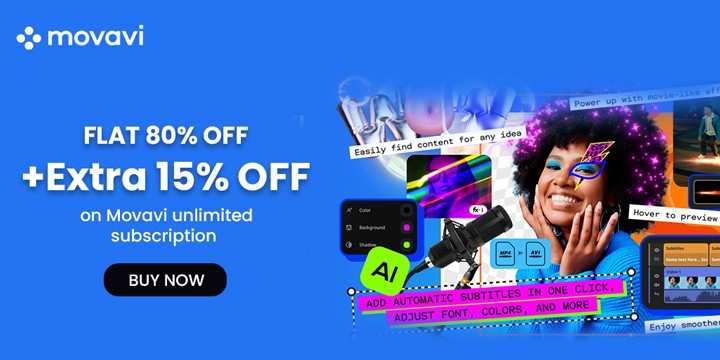
Grab Up To 80% Off On Movavi Unlimited Bundle
- Grab Movavi unlimited for 80% off
- This plan includes
- 8 Movavi programs
- 1-year full effects store access
- Plans starting from just $155.95
- Get this best seller at the minimal price
- Nopromo codeis required
75%
OFF
Enjoy 75% OFF On Movavi Effects
- Obtain 75% off on Movavi Effects subscription.
- Over 10000 effects and 1500 music tracks are available in it.
- The offer is valid for an annual subscription.
- No codes are needed to enjoy this offer.
DISCOUNT
Annual Subscription - Flat 75% OFF
- Save FLAT 75% OFF on a yearly subscription
- The cost is $140
- Features included in the application are:
- Thousands of titles, stickers, transitions, and intros in your Movavi Account
- All existing packs in the store
- 12-month membership
- Up to40 new creative effects pack a year
OFF
Grab 60% Off On Video Suite Plan
- Grab 60% off on the video suite plan
- Offer valid only on selected plans
- All users can avail themselves of this offer
- Discount automatically applies at the checkout page
Movavi Discount Coupon Codes
55%
OFF
Flat 55% OFF On Screen recorder + Video Editor Plan
- Enjoy 55% off on the screen recorder + video editor plan
- Get them at the lowest price
- Grab this plan at just $59.95
- With this plan, you can get
- Video Editor
- Video Converter
- Screen Recorder
DISCOUNT
Monthly Subscription - Flat 45% OFF
- Grab 45% off on a monthly subscription
- Get this plan at just $50
- This plan includes:
- Thousands of titles, stickers, transitions, and intros in your Movavi Account
- All existing packs in the store.
- Up to4 new creative effects packs a month.
20%
OFF
Movavi Video Editor Offer - Save 20% OFF
- Signup Now and grab the Movavi Video Editor offer
- Grab 20% OFF on your orders
- Valid for all users
OFF
Enjoy 10% Off on Video Suite + Photo Editor Plan
- Get a flat 10% off on the Video Suite + photo editor plan
- Get this plan for just $94.46
- This plan includes
- Digital media creation
- Digital media conversion
- Digital media capture
- AI-powered image editing
- No promo code is required
10%
OFF
Get Flat 10% Off On Movavi Unlimited
- Grab a flat 10% off on Movavi Unlimited
- Enjoy the Annual personal plan + effects with this plan
- All Movavi titles in one convenient bundle:
- 9 programs covering video editing, screen recording, photo retouching, and even effective work and study
- 1-year unlimited access to Movavi Effects add-ons
- No minimum spend is required
OFF
Get $15 OFF On Orders Above $150
- Get $15 OFF on your purchases
- The price starts from $35
- No Codes are required to avail this offer.
- The minimum ordervalue should be $150
Movavi Screen Recorder - Free Install
- Download the screen recorder free of charge.
- Its working process
- Capture webinars and online calls
- Record video instructions and tutorials
- Grab streaming videos and online events
Mac Video Converter - Download For FREE
- Set up a Free Mac video converter
- Its functions are
- Convert files at incredible speed with no loss of quality
- Compress large videos
- Improve poor-quality videos with AI-powered upscaling
- Polish your clips: trim, crop, adjust colors, add effects
- Finds & adds subtitles to your videos in a snap
- The offer applies to all users.
OFFER
Video Editor - Download For FREE
- Install video editor for Free
- Presenting features are
- Edit in a snap: cut, trim, crop, add music
- Blast with 180+ filters: Glitch, Blur, VHS, and more
- Supercharge your videos with drag-and-drop effects
- Level up your content with rad intros, titles, and transitions
- This offer is open to all customers
Top Movavi Coupons, Promo Codes & Offers For Nov 2026
| Category | Movavi Coupon Codes & Discounts |
| Annual Subscription | Flat 75% OFF |
| Sitewide Downloads | Flat 10% OFF |
| Monthly Subscription | Flat 45% OFF |
| Screen Recorder | Free Install |
| Video Editor | Free Download |
More ways to save on Movavi (Hacks and Tricks)
- Look for bundle deals on Movavi's official website. Purchasing multiple products together often comes with a discount.
- Take advantage of free trials to test the software before purchasing. This way, you can ensure it meets your needs without spending money up front.
- Check for seasonal promotions and holiday sales. Movavi often offers significant discounts during events like Black Friday, Cyber Monday, and other major holidays.
- Movavi has free tools you can use without paying a subscription fee. The Slideshow Maker, Screen Recorder, Video Converter, and Photo Editor trials are all available at no cost, though exported files include a watermark until you upgrade. The web-based versions of several tools are also accessible without downloading desktop software.
- Students, teachers, and educational institutions can apply for Movavi Academic pricing through edu.movavi.com. Movavi Academic is a dedicated program edition designed for classrooms and individual learners, priced at $94.95 per year for the bundled suite and available at lower rates for individual tools like Video Editor ($59.95/year) or Screen Recorder ($54.95/year). Eligibility requires submitting a form through the education portal, and the license is restricted to non-commercial educational use.
- Nonprofit and government organizations can apply for Movavi’s special pricing by contacting [email protected] directly.
Refund Policy
Movavi's refund policy allows customers to request a refund within 30 days of purchase or within 3 days of renewing a subscription if they encounter unresolved technical issues, accidental duplicate purchases, or activation problems. Refunds are processed within 10 working days after confirmation by the support team.
Movavi shopping & discount policies (At a glance)
| Payment Options | Credit/Debit cards, PayPal, Bank transfer, Purchase Order |
| Military Discounts | Not available |
| Student Discounts | Yes, via edu.movavi.com (educational institutions and students only). |
| Black Friday Sales | Yes, discounts on select plans |
| Cyber Monday Sales | Yes, with site-wide deals and exclusive promo codes |
About Movavi
Movavi is a software company that develops multimedia programs for video, audio, and photo editing. Founded in 2004, Movavi serves over 70 million users across more than 190 countries. The company offers a product lineup covering Video Editor, Video Suite, Screen Recorder, Video Converter, Photo Editor, Slideshow Maker, and an effects library of over 10,000 assets, with more than 15 product updates released per year. Its flagship programs are available for both Windows and Mac, and several tools are accessible via mobile apps and a browser-based editor.
Explore Deals Beyond This Store
If you're looking to explore brands, Looka and Picsart are excellent choices for creative projects. Looka simplifies branding with AI-powered tools to design stunning logos and create complete brand kits effortlessly, while Picsart is a versatile platform offering advanced photo and video editing features, including artistic effects and filters. To save on these tools, check out the latest Looka deals and Picsart coupons on GrabOn to make your branding and creative projects more budget-friendly.
Movavi vs HitPaw vs Wondershare Filmora
| Feature | Movavi Video Editor | HitPaw | Wondershare Filmora |
| Founded | 2004 | 2019 | 2003 (Wondershare) |
| Headquarters | St. Louis, Missouri, USA | Chengdu, China | Vancouver, Canada |
| Primary product | Video Editor Plus / Video Suite | Edimakor AI video editor + suite of standalone tools | Filmora all-in-one video editor |
| Free version | Yes - 7-day free trial; watermark on export | Yes - non-AI features free; 30 credits for AI features; watermark on export | Yes - watermark on exported videos |
| Monthly plan price | $15.95/mo (subject to change) | $19.95/mo (Edimakor) (subject to change) | $8.99/mo (Basic) (subject to change) |
| Annual plan price | $54.95/yr (subject to change) | $49.95/yr (Edimakor) (subject to change) | $29.99/yr (Advanced) (subject to change) |
| Perpetual / lifetime option | Yes | Yes - $69.95 (Edimakor) (subject to change) | Yes |
| AI features | Background removal, noise reduction, auto-captions, motion tracking | 20+ including text-to-video (Veo 3, Kling), auto-captions, background removal, AI music | AI smart cut, background removal, subtitle generation, AI text-to-video |
| AI credits system | No credit system - AI tools included at flat rate | Yes - credits consumed per AI task; extra credits purchasable | Yes - AI credits included; advanced AI tasks consume additional credits |
| OBS / streaming integration | No direct OBS integration | Yes - VoicePea integrates with OBS, Twitch, Streamlabs, Discord | No direct OBS integration |
| Voice changer tool | No | Yes - HitPaw VoicePea (separate product; free tier available) | No |
| Photo enhancement tool | Video Suite + Photo Editor bundle available | Yes - FotorPea (separate product) | No standalone photo tool |
| Platforms | Windows, Mac | Windows, Mac, Web (Edimakor online) | Windows, Mac, iOS, Android |
| Refund window | 14 days | 30 days | 30 days |
| Best for | Beginners and budget-focused creators who want a clean timeline editor with solid AI tools and no credit system | US streamers, Twitch/OBS users, and creators wanting AI video generation and voice tools in one ecosystem | Mid-range creators wanting a full-featured video editor with AI at a competitive annual price |
Frequently Asked Questions
- Is Movavi free?
Movavi is not fully free, but every major product offers a 7-day trial you can download without entering payment details. During the trial, you get access to most editing features, though exported files include a Movavi watermark. After the trial ends, a paid subscription or one-time license is required to export watermark-free content. Video Editor starts at $15.95 per month or $54.95 per year.
- Is Movavi free without a watermark?
No, the free trial versions of Movavi software include a watermark on all output files. Removing the watermark requires purchasing a paid plan, either as a monthly or annual subscription or a lifetime license.
- Is Movavi good for YouTube?
Yes, Movavi Video Editor is a practical choice for US-based YouTube creators who want fast results without a steep learning curve. The editor supports 4K export, includes one-click AI tools for auto-subtitles, background removal, and silence removal, and lets you add intros, transitions, and titles directly on the timeline. It does not have the advanced color grading or motion graphics depth of DaVinci Resolve or Adobe Premiere Pro, but for most YouTube content, it covers the workflow from raw footage to final upload.
- Is Movavi safe to download and use?
Yes, Movavi software downloaded directly from movavi.com contains no malware or harmful files. Movavi's programs have been scanned by over 70 antivirus engines on VirusTotal with zero detections, and the company has maintained a clean security record since it was founded in 2004.
- What is the difference between Movavi Video Editor and Movavi Video Suite?
Movavi Video Editor is a standalone editing program that handles cutting, trimming, color correction, AI tools, effects, and direct export to YouTube. Movavi Video Suite bundles the Video Editor together with a Screen Recorder and a Video Converter, covering three common creator workflows in one package. Video Suite starts at $29.95 per month or $55.85 per year, compared to Video Editor at $15.95 per month or $54.95 per year for the single tool. If you only need to edit footage, Video Editor is the more cost-efficient choice; if you also record your screen or convert media formats regularly, Video Suite is worth the upgrade.
- Does Movavi offer any discounts for students?
Yes. Movavi offers a dedicated education product called Movavi Academic, available to students, teachers, and schools through edu.movavi.com. The Academic bundle is priced at $94.95 per year and includes video editing, screen recording, and education-themed effects. Individual tools like Video Editor or Screen Recorder are also available at educational pricing starting around $44.95 to $59.95 per year.
- How does Movavi compare to Filmora for US creators?
Both are beginner-to-intermediate video editors, but they differ in price, AI credits, and depth. Movavi Video Editor starts at $15.95 per month or $54.95 per year and includes AI tools like auto-subtitles, background removal, and noise reduction with no separate credit system. Filmora's Advanced annual plan runs $49.99 per year and allots 1,000 AI credits per month, but credit-heavy tasks like text-to-video can consume those credits quickly, and premium effects from Filmstock cost extra on top of the base plan. Movavi is the leaner, more predictable option for creators who want straightforward editing at a lower total cost; Filmora offers more effects and templates for creators who want that variety and do not mind the additional spend.
Filters
USER TYPES
Categories
AI Tools
Software & Antivirus

Coupons Info
Coupons & Offers
:13
Verified
:13
Fresh Offers You May Like

Anara
SAVE 20% OFF
Sitewide Savings - Get 20% Off On All Your Orders
Verified

Aragon AI
FLAT 15% OFF
Subscription Savings - Enjoy 15% Off On All Sitewide Plans
Verified
Artflow AI
SAVE 20% OFF
Pro Plan - 20% Off On Annual Subscription
Verified
Coupons from Similar Stores

Subscribe Now
Get The Latest & Best Coupon/Offer Alerts
