



Otter.ai Promo Codes & Coupons
Best 9 Coupons & Offers last validated on November 1st, 2026
- All (9)
- Coupons (1)
- Offers (8)
Existing User
- All (9)
- Coupons (1)
- Offers (8)
51%
Off
Annual Subscription Plans Savings - Get 51% OFF On Purchase
Enjoy 51% off when you choose an annual subscription plan—available for all users.
Unlock powerful features to boost your productivity and workflow.
Features included:
Detailed usage analytics
Up to3 concurrent virtual meetings
Monthly transcription services
Unlimited audio and video transcription uploads
33%
Off
Business Plan $19.99/Month — Save 33% on Medium-Sized Team Features
Get the Business Plan for $19.99 per user/month and save 33% .
Enjoy unlimited meetings and in-app recordings .
Access custom AI workflows and unlimited audio and video file imports.
Host meetings for up to4 hours with 3 concurrent meetings .
Trial
Grab 7-Day Free Trial On Sitewide
Avail 7-DayFree Trial on entire orders.
Apply the code at checkout page to avail a free trial as a benefit on your orders..
Valid for all customers.
Get your free trial before the code expires.
51%
OFF
Grab Up To 51% Off Pro Annual Plan Subscription
Save 51% on the Pro Annual Subscription and unlock powerful AI-powered transcription tools.
Boost productivity with premium features designed for seamless collaboration and work.
Enjoy improved playback, export, and search capabilities for a better transcription experience.
Access shared vocabulary and collaboration tools to help teams track action items.
Upgrade to the Pro Annual Subscription and take your productivity to the next level at an incredible price.
Otter.ai Discounts & Offers
OFF
Business Annual Plan - Get Flat 33% Off
- 33% off the annual plan for small teams and businesses.
- Share work easily and work with your team.
- Improve task assignment, shared notes and meeting management.”
- The assistant can take notes for you and join meetings.
- Get 6000 transcription minutes monthly with up to4hours/meeting.
$17
Grab Monthly Pro Plan Starting At Just $16.99
- Win the Monthly Pro Plan, from only $16.99.
- Upgrade today and get more value with more savings on your subscription.
- A plan that's affordable and built for you.
$30
Monthly Business Plan Starting At $30
- Get a monthly business plan at the best prices.
- The prices start at $30.
- Get the best features at lowest prices.s.
Get Individual Enterprise Plan With Premium Features
Sign in once to get easy and secure access to all areas.
Key benefits include:
Full access to the whole platform
Improved branding with custom domain integration
Enhanced security and compliance controls
Simple workflow management
Upgrade now and achieve enterprise-level performance easily.
DEMO
Grab Free Demo For Enterprise Subscription Plan
Get a free demo for the Enterprise Subscription Plan.
Reach out to customer care for a free demo.
The enterprise plan is perfect for companies.
Grab the feature like this:
Single Sign-On (SSO)
Enterprise-grade security & controls
Domain capture
HIPAA compliance
Custom integrations (CRM, dealers)
Video replay for Zoom and Google Meet
Best Otter.Ai Coupons & Offers For Nov 2026
| Category | Otter.Ai Disocunts & Promo Codes |
| Annual Plans | Save Up To 46% OFF |
| Monthly Plans | Get Up To 46% OFF |
| Business Holders | Flat 33% OFF |
| Basic Plan | Get It Free |
| Enterprise Plan | Contact Sale Team |
Activate your 7-Day Free Trial using Otter coupon code "CY6YHC2J98QGWSF."
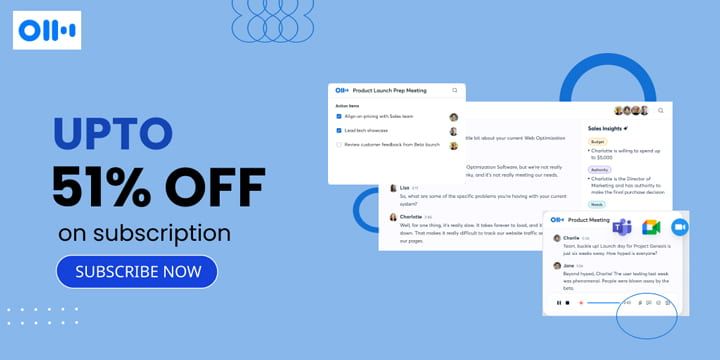
How to Get an Otter.ai Coupon Code
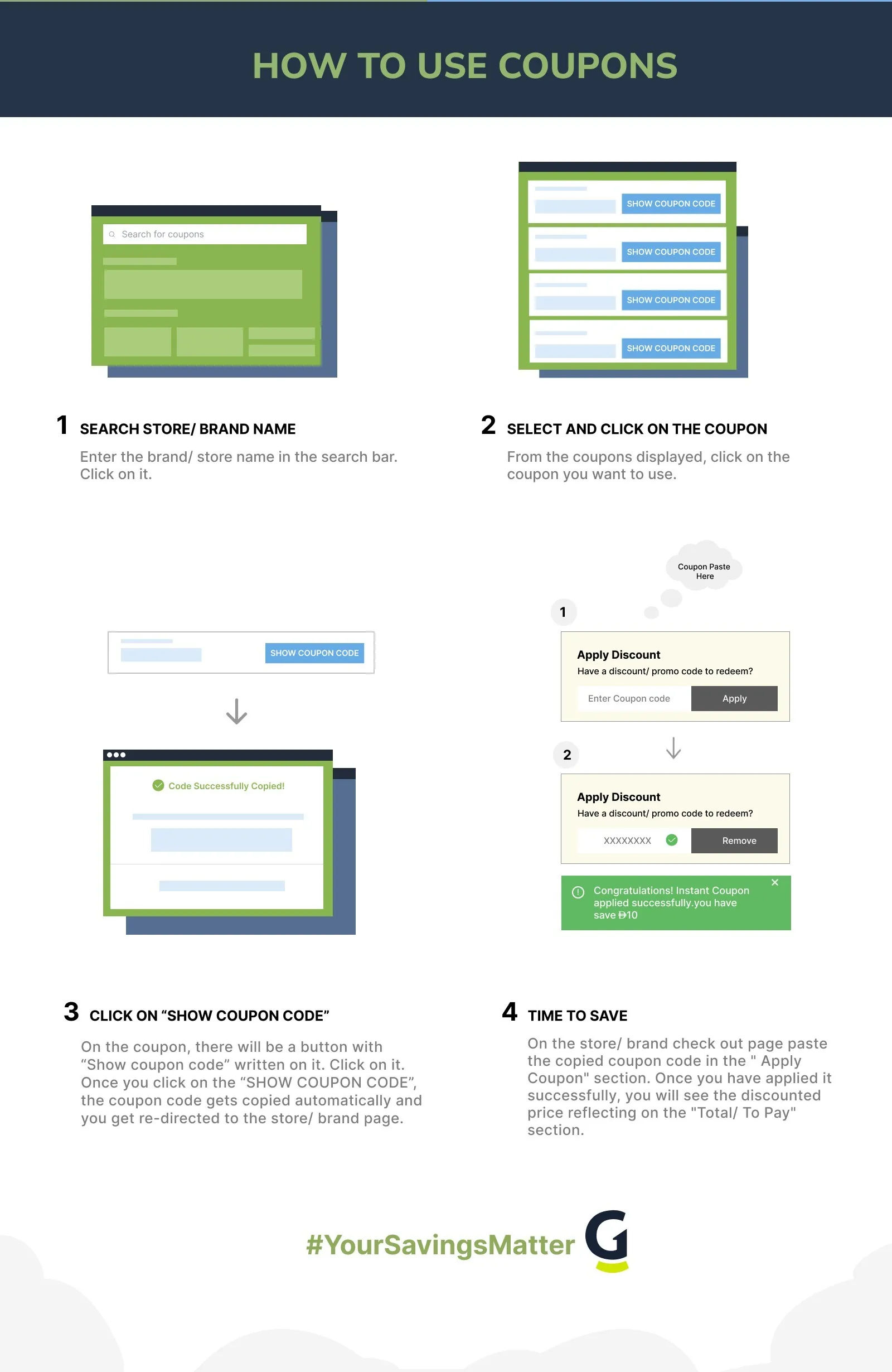
Check the Official Website: Regularly visit the Otter.ai website. They often post special offers and discount codes on their homepage or in the pricing section.
Follow Otter.ai on Social Media: Follow Otter.ai on Facebook, Twitter, and LinkedIn. They sometimes share promotional codes and special deals with their followers.
Use GrabOn for Coupons: Check GrabOn for verified Otter.ai coupon codes. We frequently update our listings to ensure you get the best available discounts.
Look for Seasonal Sales: Plan your purchases around major sales events like Black Friday and Cyber Monday. Otter.ai often offers significant discounts during these times.
Use the Referral Program: Take advantage of Otter.ai’s referral program. When you refer a friend and they make a purchase, both you and your friend receive discounts or points for future orders.
Opt for an Annual Subscription. Choose an annual subscription instead of a monthly one. Otter.ai offers a big discount if you pay for a year upfront, saving you a lot of money.
Check for Educational Discounts. If you're a student or teacher, check if Otter.ai has special discounts for educational use. Many software companies offer lower rates for schools and universities.
Ask About Non-Profit Discounts. If you work for a non-profit organization, ask Otter.ai about any discounts they might offer. Non-profits often get special pricing on software tools.
Use the 7-Day Business Plan Free Trial. Otter offers a 7-day free trial for the Basic and Business plans. The free trial of the business plan unlocks business features such as 6,000 transcription minutes per month, a 4-hour per-conversation limit, unlimited file imports, and the ability to join up to three concurrent virtual meetings. Sign up using your credit card. If you don’t like the plan, you can always cancel before the free trial ends.
Request Free Trial Extension. If your free trial is ending, contact Otter.ai's customer support to request an extension. Sometimes, companies extend trials to help you decide.
Look for Bundle Deals. Look for deals where Otter.ai is included with other productivity tools. These bundles can be cheaper than buying each tool separately.
Inquire About Corporate Discounts. If your company uses Otter.ai, see if they have a corporate discount or bulk purchase option. Businesses often get better rates for multiple licenses.
About Otter.ai
Otter.ai was founded in 2016 by Sam Liang and Yun Fu in Mountain View, California. The company focuses on creating advanced speech-to-text software using artificial intelligence and machine learning. Otter.ai's main product transcribes spoken words into written text in real time, making it extremely useful for meetings, lectures, and interviews. The platform includes features like live captions, automated summaries, and speaker tagging, which help boost productivity and collaboration across various fields such as education, business, and media.
Otter.ai is well-known for its ongoing innovation and seamless integration with popular virtual meeting platforms like Zoom, Google Meet, and Microsoft Teams. The introduction of OtterPilot, an AI meeting assistant, has further enhanced user experience by automating meeting notes, capturing slides, and generating summaries. Over the years, Otter.ai has grown significantly, forming partnerships and securing funding to expand its services.
Otter.ai’s Subscription Plans & Pricing
Before subscribing to Otter.ai, users should consider their transcription needs, the number of users, and the specific features they require. Otter.ai's plans are designed to scale with your needs, offering flexibility and a range of tools to enhance productivity and collaboration. They have a range of subscription plans designed to meet different needs:
Basic Plan: This free plan lets users try out Otter.ai's main features. It includes 300 transcription minutes per month, with a limit of 30 minutes per conversation. Users can also import and transcribe up to 3 audio or video files for the lifetime of the account.
Pro Plan: This plan costs $16.99 per user per month, or $8.33 per user per month if you pay annually. It's great for small teams, offering 1200 transcription minutes per month and a 90-minute limit per conversation. It also includes extra team collaboration tools like shared custom vocabulary and the ability to tag speakers and assign tasks.
Business Plan: Priced at $30 per user per month, or $20 per user per month if billed annually, this plan is designed for larger teams. It provides 6000 transcription minutes per month, with a 4-hour limit per conversation. It also includes advanced admin features like usage analytics, prioritized support, and the ability to join up to 3 virtual meetings at once to automatically take notes.
Enterprise Plan: This plan is for organizations needing advanced security and control. It includes all the features of the Business plan, plus Single Sign-On (SSO), organization-wide deployment, and enhanced security and compliance controls. Pricing is available upon request.
Otter.ai’s Cancellation & Refund Policy
If you want to cancel your Otter.ai subscription, you can do it anytime through your account settings. Just log in, go to "Account Settings" under your profile, and click on the "Plan" tab. At the bottom, you'll see the option to "Cancel Plan." Your subscription will stay active until the end of the current billing period, and then it won't renew. After your paid plan ends, you can still use Otter.ai on the free Basic plan.
As for refunds, Otter.ai doesn't offer refunds for subscriptions bought directly from their website. If you bought your subscription through the Apple App Store or Google Play Store, you'll need to contact those platforms for any billing, refund, or cancellation issues. It's important to check your subscription details and cancel at the right time to avoid extra charges.
Otter.ai Discount Policies (At a Glance)
| Payment options | Accepts credit/debit cards and in-app purchases via Apple App Store or Google Play |
| Military discounts | Currently, Otter.ai does not offer specific military discounts |
| Student discounts | Offers a discount on the Pro plan for verified students and teachers |
| Black Friday | Offers significant discounts. Typically up to 50% off annual Pro or Business plans. |
Explore Deals Beyond This Store
If Otter.ai’s real-time transcription and meeting notes help streamline your workflow, it’s worth checking out similar tools too. Platforms like Krisp and Rev offer strong solutions for noise cancellation and professional transcription. Visit GrabOn to find verified Krisp discount codes and Rev promo codes to save on your subscription.
Additionally, if you need to turn your meeting transcripts into polished reports or emails, QuillBot is an excellent AI-powered writing companion that can summarize and rephrase your text for clarity. If you plan to add it to your workflow, be sure to check GrabOn for the latest QuillBot coupon codes to save on your Premium subscription.
Once you have your text polished and ready, you might want to turn those scripts, summaries, or reports into high-quality audio. ElevenLabs is a leading AI voice generator that can convert your text into incredibly realistic, human-sounding voiceovers in dozens of languages. Check GrabOn for the latest ElevenLabs promo codes to secure a discount.
Otter.ai vs. Krisp vs Fireflies.ai vs Tactiq
Choosing between these tools comes down to three questions: whether you need a bot-free experience, whether CRM integration is a requirement, and how much your team relies on audio quality versus transcription depth. Otter.ai is the strongest collaborative hub. Krisp leads in noise cancellation. Fireflies.ai goes deepest on CRM automation for sales teams. Tactiq is the lightest-weight option for individuals who do not want a bot joining their calls.
| Feature | Otter.ai | Krisp | Fireflies.ai | Tactiq |
| Primary focus | AI meeting notes, real-time transcription, searchable conversation history | AI noise cancellation, meeting transcription, and audio clarity for calls | AI meeting notes, CRM sync, sales team automation | Real-time live transcription via Chrome extension, no recording bot |
| Founded | 2016, Mountain View, California | 2019, Yerevan, Armenia | 2016 | 2020 |
| Free plan | Yes, 300 min/month, 30 min/conversation, 3 file imports (lifetime) | Yes, 60 min/day of noise cancellation, unlimited transcription, 2 AI summaries/day (subject to change) | Yes, 800 min storage, limited AI credits, no summaries or integrations | Yes, 10 transcripts/month, 5 AI credits/month |
| Paid plan starting price | Pro: $8.33/user/month (billed annually) or $16.99/month | Pro: $8/user/month (billed annually) or $16/month (subject to change) | $10/user/month (Pro) (subject to change) | $8/user/month (Pro) (subject to change) |
| Meeting note-taking method | OtterPilot joins as a visible bot to record, transcribe, and summarize | Bot-free by default, runs as a local background app; no bot joins your call | Bot joins the call as a visible participant | Bot-free; Chrome extension captures platform captions in real time |
| Noise cancellation | Not a core feature | Core differentiating feature. It offers a two-way, real-time AI noise and echo cancellation | No | No |
| Platform integrations | Zoom, Google Meet, Microsoft Teams (native bot integration) | 800+ apps, including Zoom, Teams, Meet, Slack, Discord | Zoom, Google Meet, Microsoft Teams, and other web conferencing platforms | Google Meet, Zoom, Microsoft Teams (Chrome extension required) |
| AI Meeting Summaries | Yes, automated summaries and action item extraction | Yes, AI summaries and action items; fewer meeting intelligence features than Otter | Yes, on Pro and above; advanced features consume AI credits | Yes, generated after the meeting; credits consumed per summary |
| Student/nonprofit discount | Yes. 20% off Pro for .edu users and nonprofit discount via TechSoup | No publicly listed education or nonprofit discount | Yes, 10% via Student Beans | Yes, an education discount plan is available |
| Best for | Teams wanting a full-featured meeting notes hub with searchable transcripts and collaboration tools | Professionals in noisy environments who need clean audio first, with transcription as a secondary benefit | Sales and customer success teams need CRM-connected meeting notes and automated deal tracking | Individuals and small teams who want live transcription without a bot joining their calls |
Frequently Asked Questions
- Does Otter.ai offer a student and teacher discount?
Yes, Otter.ai offers a 20% discount on the Pro plan for students and teachers who hold a valid .edu email address. The discounted rates are $6.67 per month billed annually (totalling $79.99 per year) or $13.59 per month on a monthly plan. To claim the discount, sign in with your .edu email, click your name in the top left, select "Upgrade plan," and scroll to the "Student & Teacher Discount" link beneath the Pro plan description.
- Is there a free version of Otter.ai?
Yes, Otter.ai's Basic plan is permanently free. It includes 300 transcription minutes per month, a hard limit of 30 minutes per individual conversation, and the ability to import and transcribe up to three audio or video files for the lifetime of the account. Transcription is available in English, French, and Spanish. The free plan also gives access to real-time captions, OtterPilot for Zoom, Google Meet, and Microsoft Teams, and basic AI chat.
- Are there any Otter.ai coupon codes on Reddit?
Yes, you can often find Otter.ai coupon codes on Reddit. Users frequently share various discount codes that can help you save on Otter.ai subscriptions. Check subreddits such as r/ProductivityApps, r/AppStoreOptimization, and r/toolsdeals to get relevant offers. These codes are for a limited time and may not always be reliable. Use GrabOn for the latest and verified Otter AI coupons.
- Does Otter.ai offer a free trial on paid plans?
Yes, Otter.ai offers a 7-day free trial for the Business plan, which requires a credit card at signup and converts automatically to a paid subscription if not cancelled before the trial ends. The Pro plan does not have a separate trial period, but the permanently free Basic plan functions as an open-ended way to test Otter's core transcription features before committing.
- Does Otter.ai offer a nonprofit discount?
Yes, Otter.ai offers a discount on the Business plan for qualifying nonprofit organizations through its partnership with TechSoup. To apply, your organization must hold a valid 501(c)(3) charitable status in the United States or an equivalent local recognition, and you must register via the Otter.ai listing on TechSoup. TechSoup validates your status before issuing a coupon code. The discount is approximately 40% off the annual Business plan rate and is renewable each fiscal year through the same TechSoup process. TechSoup charges a small administrative fee.
- How much does the Otter.ai Pro plan cost, and what does it include?
The Pro plan costs $16.99 per user per month on a monthly billing cycle, or $8.33 per user per month when billed annually. It raises the transcription limit to 1,200 minutes per month with a 90-minute cap per conversation, and allows importing and transcribing up to 10 audio or video files per month. The plan also includes shared custom vocabulary, speaker tagging, the ability to assign action items to teammates, and advanced search by speaker, date range, and keyword. OtterPilot can join up to two concurrent meetings on the Pro plan.
- Can you cancel an Otter.ai subscription and get a refund?
You can cancel an Otter.ai subscription at any time through Account Settings under the Plan tab, and your access remains active until the end of the current billing period. However, Otter.ai does not issue refunds for subscriptions purchased directly on its website, per its Terms of Service. If you subscribed through the Apple App Store or Google Play, refund requests must go through those platforms directly under their own policies. To avoid being charged for the next cycle, cancel at least 24 hours before your renewal date.
- How does the Otter.ai referral program work?
Otter.ai's referral program lets existing users earn rewards by inviting others to the platform. When a referred person creates an account using your referral link, both the referrer and the new user can receive a period of free Pro Lite access as a reward. You can find your personal referral link by clicking your profile and selecting "Refer and Earn." The maximum cumulative reward per account is capped at 10,000 minutes or 12 months of Pro Lite access in total. Referral rewards are credited after the referred user completes a qualifying action, such as creating an account or subscribing to a paid plan.
- Does Otter.ai integrate with Slack, and how does it work?
Otter.ai's Slack integration automatically pushes meeting summaries and key insights into designated Slack channels after a call ends. This means your team gets a formatted recap, including action items, in the channels where they already communicate, without anyone needing to manually forward notes. If your team runs recurring syncs, client calls, or cross-functional meetings, the Slack connection removes the step of distributing notes manually and keeps meeting records searchable inside Otter alongside Slack-delivered summaries.
Filters
USER TYPES
Categories
AI Tools

Coupons Info
Coupons & Offers
:9
Verified
:9
Fresh Offers You May Like
AssemblyAI
BEST PRICE
Speech Understanding Starting From $0.02/hour
Verified
Blackbox AI
SAVE 20% OFF
Enjoy 20% Off PRO Plan
Verified
ChatGPT
SIGNUP OFFER
New User Offer - Free Signup On ChatGpt
Verified
Coupons from Similar Stores

Subscribe Now
Get The Latest & Best Coupon/Offer Alerts
